
Descripción
ClassicAddons Content Blocks for Gutenberg Editor brings premium quality elements to your WordPress site. Built with modern Gutenberg APIs, full PHP 8+ compatibility, and extensible architecture for upcoming block packs.
Currently includes:
- Classic Section — a full-width container/row with background (color / gradient / image / overlay) and an adjustable inner content max-width. Drop columns, info boxes or any blocks inside.
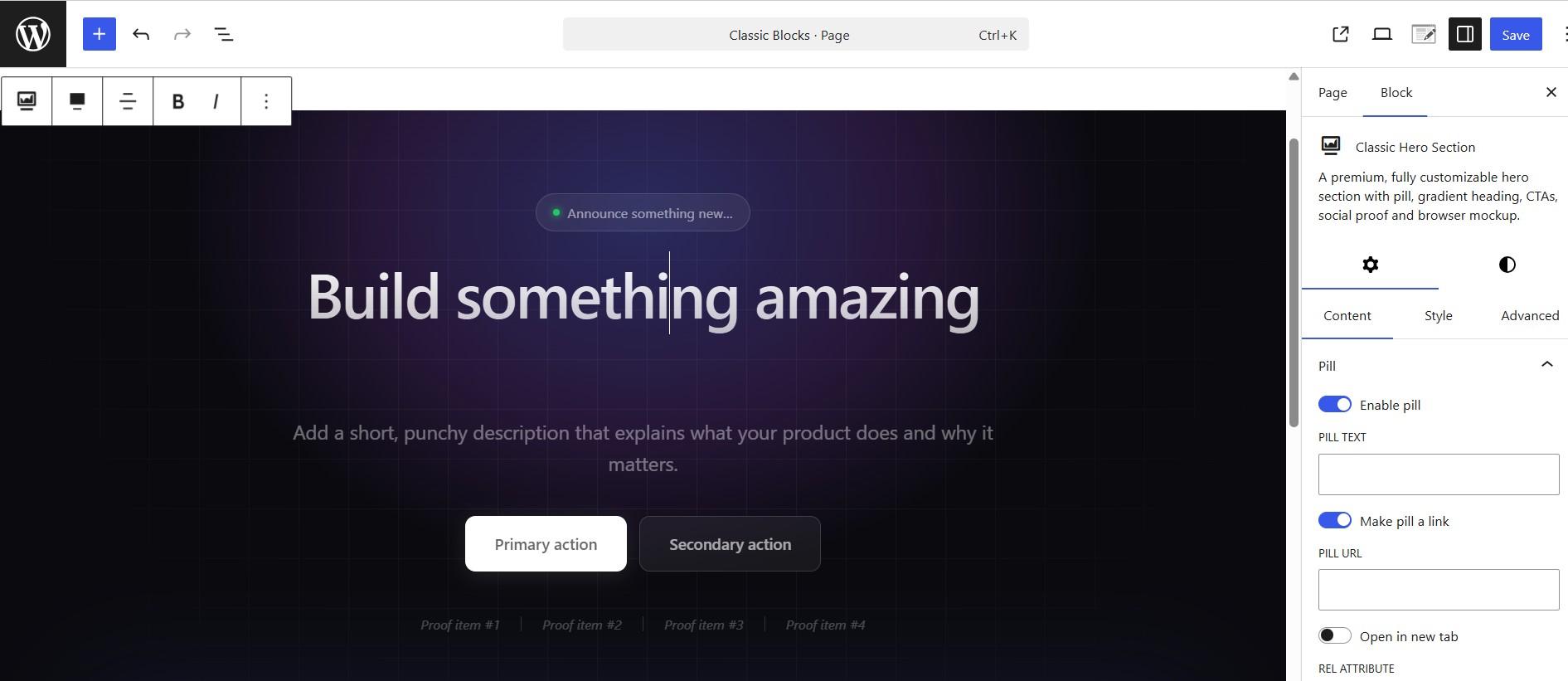
- Classic Hero Section — a fully customizable hero with pill, gradient heading, two CTAs, animated proof bar and a browser-mockup image.
- Classic Eyebrow — a small pill/label for section headers: alignment, optional link, icon, colors, background, border and typography.
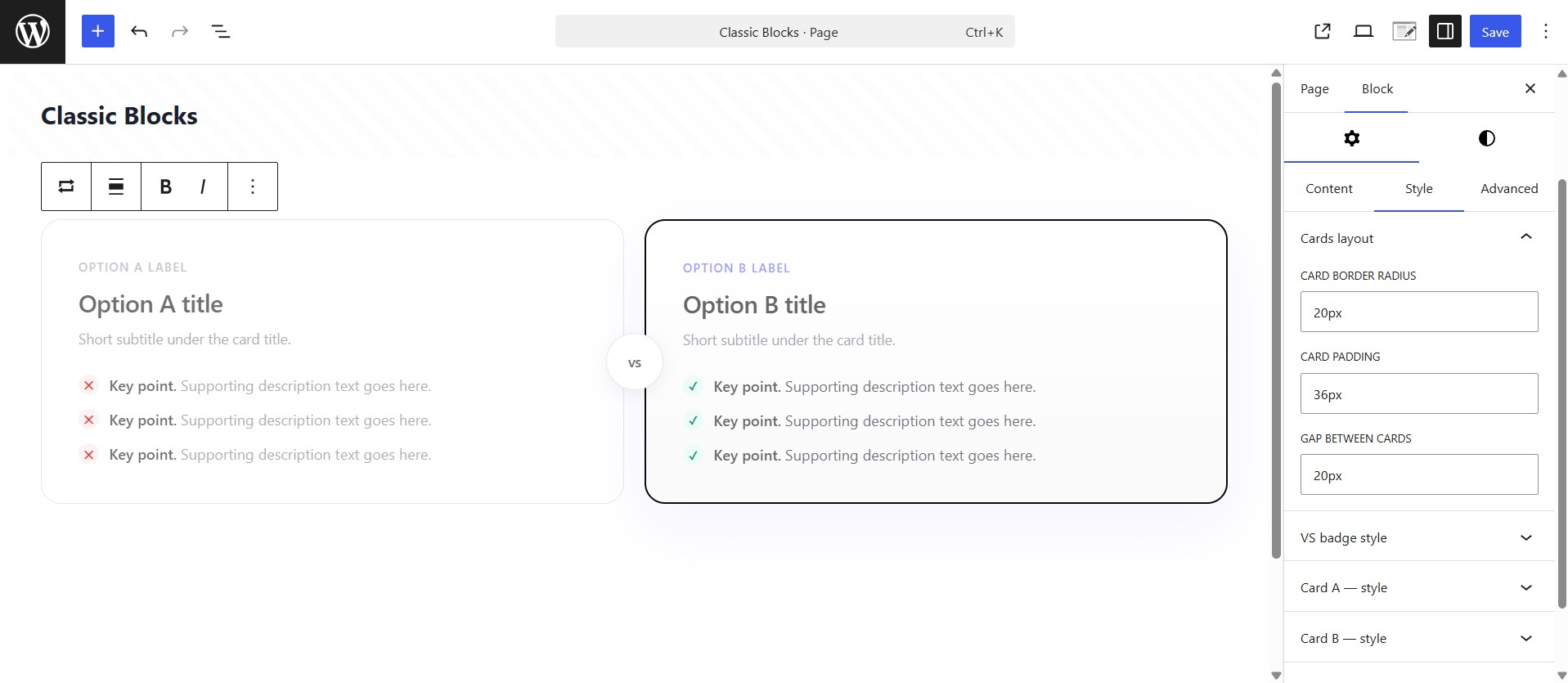
- Classic Versus Box — head-to-head two-card layout with optional «VS» badge, custom item icons and ribbon badges. Composable: drop it inside a Classic Section with your own heading.
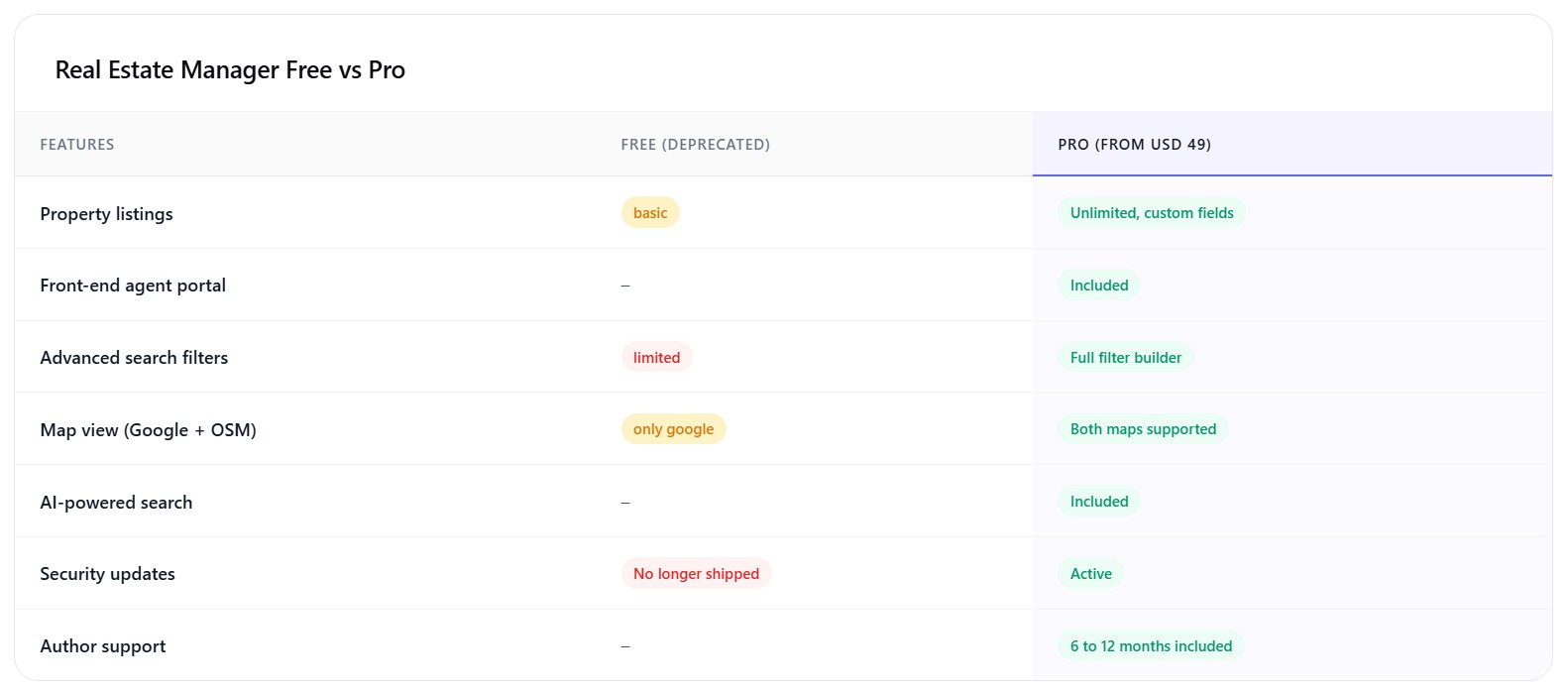
- Classic Comparison Table — feature-by-feature comparison with highlighted column, good/bad/meh status pills, optional in-card header and footnote. Composable.
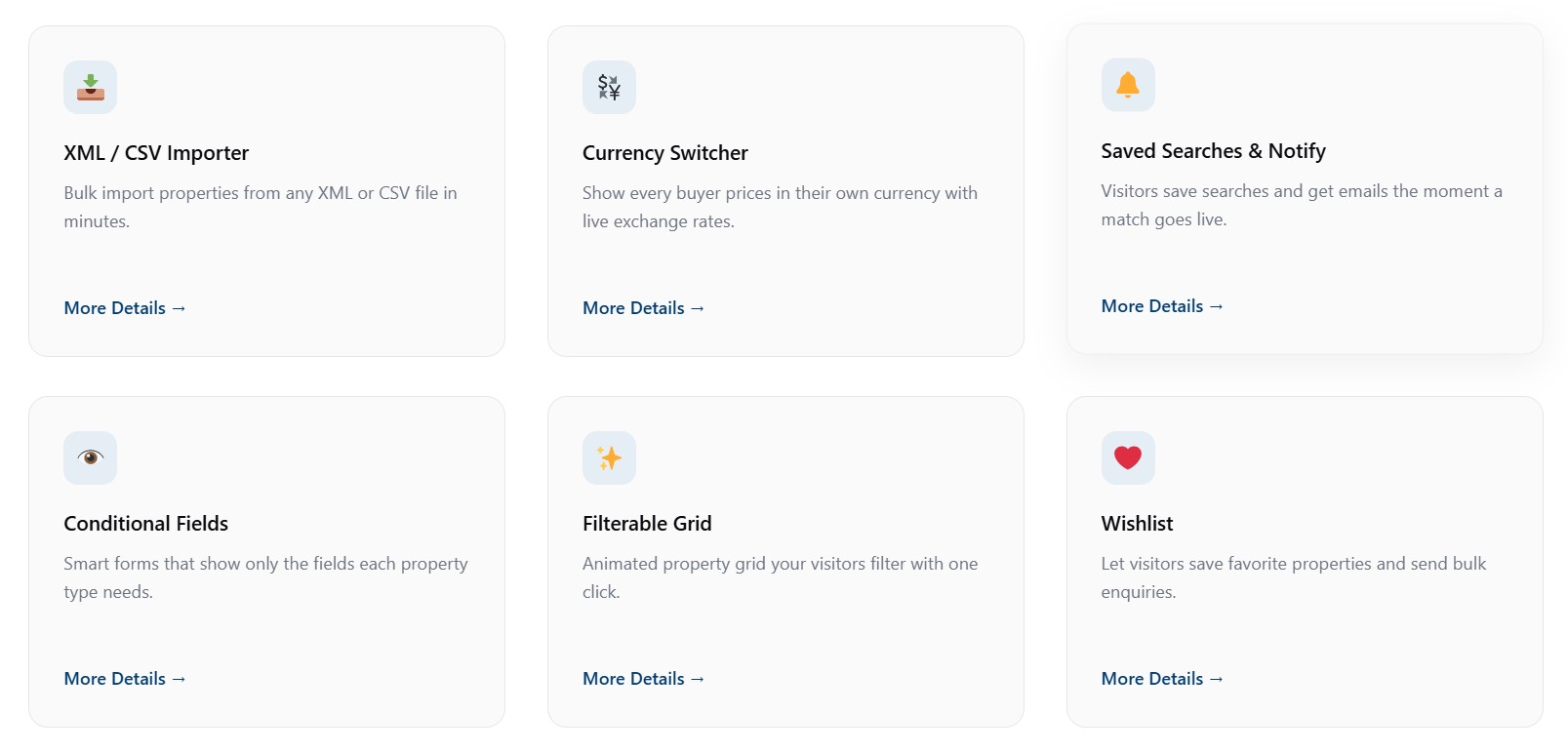
- Classic Info Box — feature card with icon (dashicon / image / emoji / custom SVG), customizable title, description, optional link, and 5 style variations.
- Classic FAQ — accessible accordion (native details/summary) with optional FAQPage JSON-LD schema for SEO. Renders the list only — compose the heading with the Eyebrow / Heading / Paragraph blocks.
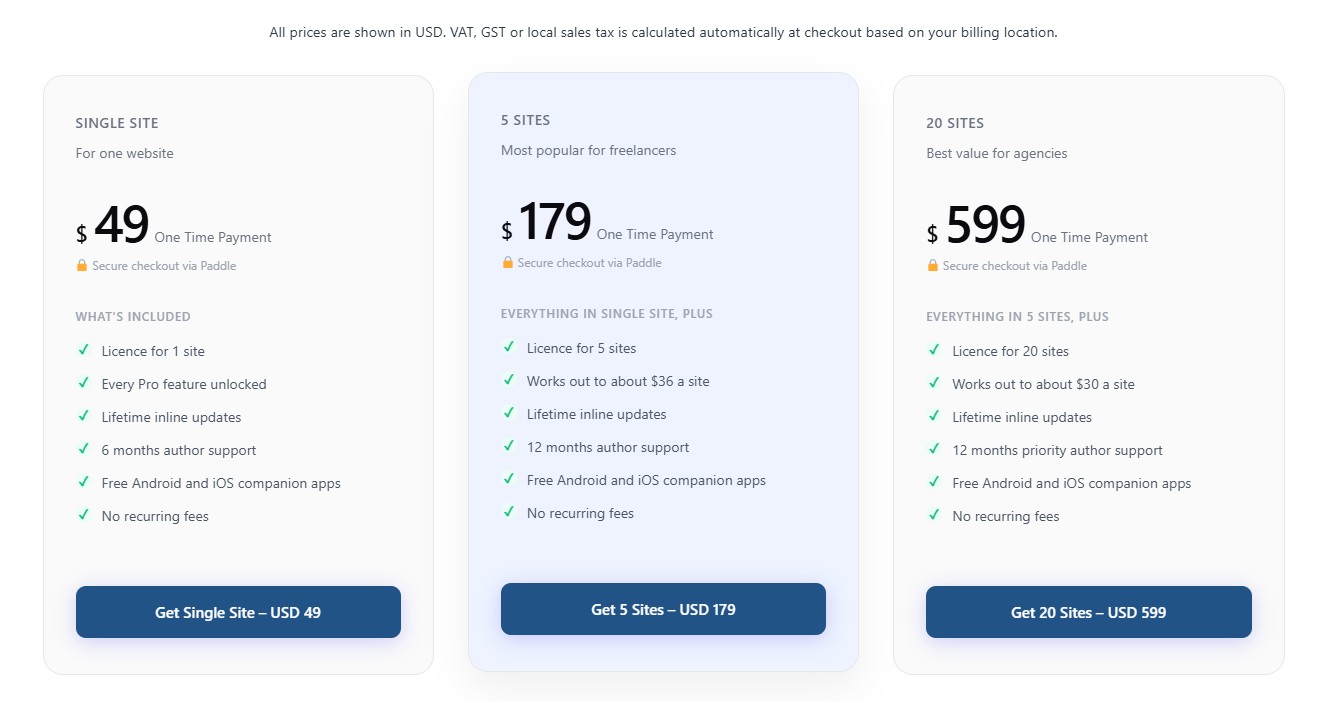
- Classic Pricing Box — a single pricing plan card (name, price, features, badge, featured style) with a flexible CTA — a link or a JS button with custom id, classes and data-attributes (works with Paddle.js and similar). Stretches to equal height; drop several into a Columns/Grid layout.
Highlights:
- Dynamic PHP rendering via render callback (lean, cached, secure).
- Full responsive controls (desktop / tablet / mobile) for typography, padding and visibility.
- SEO-friendly heading tag selectors (H1 through H6, div) and optional FAQ schema (JSON-LD).
- Block style variations for the Hero, Section, Versus, Comparison, Info Box and FAQ blocks.
- Reusable controls — typography, spacing, color, gradient, icon picker, responsive helper.
- WordPress Coding Standards, full escaping/sanitization, i18n-ready.
- Accessibility: semantic HTML, ARIA labels, reduced-motion support, keyboard-friendly controls.
- Editor-only assets separated from frontend assets — only loads on pages that use the block.
- Built with
@wordpress/scripts, ES Next, functional React components.
Source Code & Build Process
This plugin is fully open source (GPL-2.0-or-later). The complete, human-readable
source for every compiled asset is bundled inside the plugin in the /src
directory. The minified files in /build are generated from /src using the
official @wordpress/scripts toolchain (webpack under the hood) — no other build
tools are required.
To regenerate the compiled assets from source:
npm install— installs the build dependencies declared inpackage.json.npm run build— compiles/srcinto/build.
Use npm start for a watched development build. There is no obfuscation; the
build step only bundles and minifies the JavaScript and SCSS that ships in /src.
Capturas
Bloques
Este plugin proporciona 8 bloques.
- Classic Pricing Box A single pricing plan card — name, price, features, badge and a flexible CTA (link or JS button with custom data-attributes). Drop several into a Columns or Grid layout.
- Classic Info Box A polished feature/info card with an icon, image or emoji, customizable title, description and optional link.
- Classic Section A full-width section/container with background controls and an adjustable inner content max-width. Drop columns, info boxes or any blocks inside.
- Classic FAQ An accessible accordion FAQ list (native details/summary) with optional FAQPage schema. No heading or section chrome — compose it inside a Classic Section.
- Classic Hero Section A premium, fully customizable hero section with pill, gradient heading, CTAs, social proof and browser mockup.
- Classic Comparison Table Feature-by-feature comparison table with highlighted column, status pills and an optional table header and footnote. Compose it inside a Classic Section.
- Classic Versus Box Two-card head-to-head comparison with optional VS badge, recommended ribbon and checklists. Compose it inside a Classic Section.
- Classic Eyebrow A small pill/label (eyebrow) for section headers, with alignment, optional link, icon, colors, background and typography controls.
Instalación
- Upload the
classicaddons-content-blocksdirectory to your/wp-content/plugins/directory. - Run
npm install && npm run buildinside the plugin directory (only required if installing from source). - Activate the plugin through the ‘Plugins’ menu in WordPress.
- Open any page/post in the block editor and search for «Classic Hero Section».
Preguntas frecuentes
-
Is this compatible with Full Site Editing (FSE) and block themes?
-
Yes. The block uses
block.json, the Block Supports API and standard WordPress hooks. -
Can I change the heading tag for SEO?
-
Yes — the heading tag is selectable in the Content tab (H1 through H6 or div).
-
Does it ship a frontend JS bundle?
-
No. The block renders fully on the server; no jQuery and no frontend JavaScript are loaded.
Reseñas
No hay reseñas para este plugin.
Colaboradores y desarrolladores
«ClassicAddons Content Blocks» es un software de código abierto. Las siguientes personas han colaborado con este plugin.
Colaboradores
Traduce «ClassicAddons Content Blocks» a tu idioma.
¿Interesado en el desarrollo?
Revisa el código , echa un vistazo al repositorio SVN o suscríbete al registro de desarrollo por RSS.
Registro de cambios
1.1
- Initial release with seven blocks: Classic Section, Classic Hero Section, Classic Eyebrow, Classic Versus Box, Classic Comparison Table, Classic Info Box and Classic FAQ.
- Reusable component library (typography, spacing, responsive, color, gradient, icon picker).
- Block style variations across the Hero, Section, Versus, Comparison, Info Box and FAQ blocks.
- Optional FAQPage (JSON-LD) structured data on the FAQ block.
- PHP 8+ namespaced architecture, autoloader, extensible block registry.