
Descripción
JETPACK – THE BEST WORDPRESS PLUGIN
Jetpack is a WordPress plugin that helps you create better content, grow your subscribers, earn money from your website and keep it safe, fast, and secure. You can grow and keep track of your website traffic with Jetpack stats, and create better content with Jetpack AI. You can start a newsletter and grow your audience, turning fans into paying subscribers. Create beautiful content with Jetpack Creator and keep your site fast with Jetpack Boost.
HOW TO GET STARTED WITH JETPACK
La instalación es gratis, rápida y sencilla. Configura Jetpack en minutos. Aprovéchate de más características robustas, como la seguridad del sitio de WordPress y las herramientas de diseño y crecimiento, actualizando a un plan de pago.
NEED EXPERT SUPPORT?
We have a global team of Happiness Engineers ready to provide incredible support. Ask your questions in the support forum or contact support.
WHY USE JETPACK ON YOUR SITE
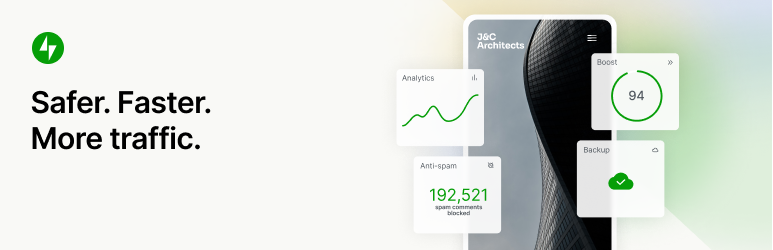
Safer. Faster. More traffic.
Herramientas de seguridad, rendimiento, marketing y diseño — Jetpack está creado por expertos en WordPress para hacer más seguros y más rápidos los sitios WP y ayudarte a hacer crecer tu tráfico.
FUNCIÓN AUTOMÁTICA ININTERRUMPIDA DE SEGURIDAD DEL SITIO
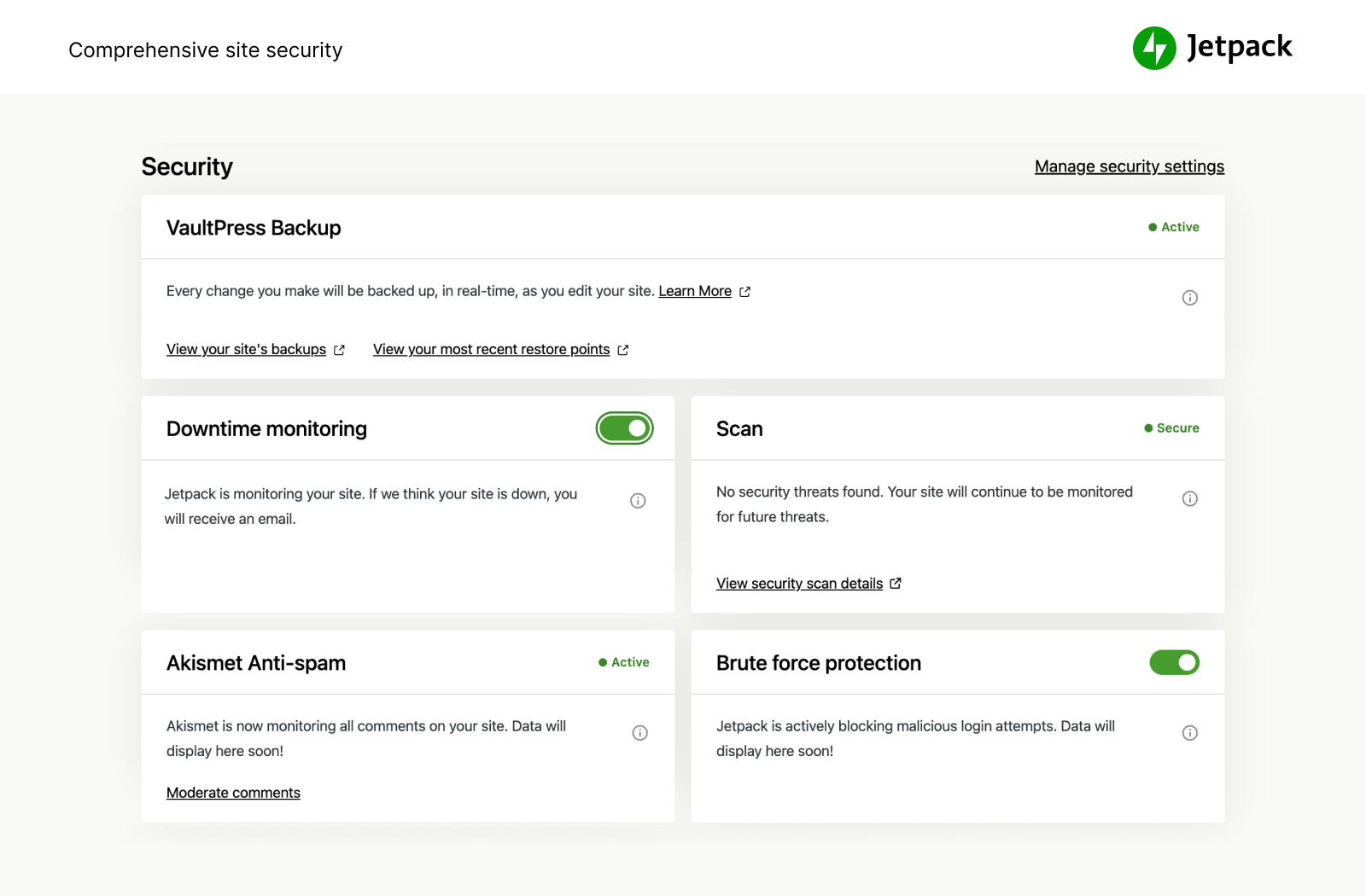
We guard your site so you can run your site or business. Jetpack Security provides easy-to-use, comprehensive WordPress site security including auto real-time backups and easy restores, malware scans, and spam protection. Essential features like brute force protection and basic downtime / uptime monitoring are free.
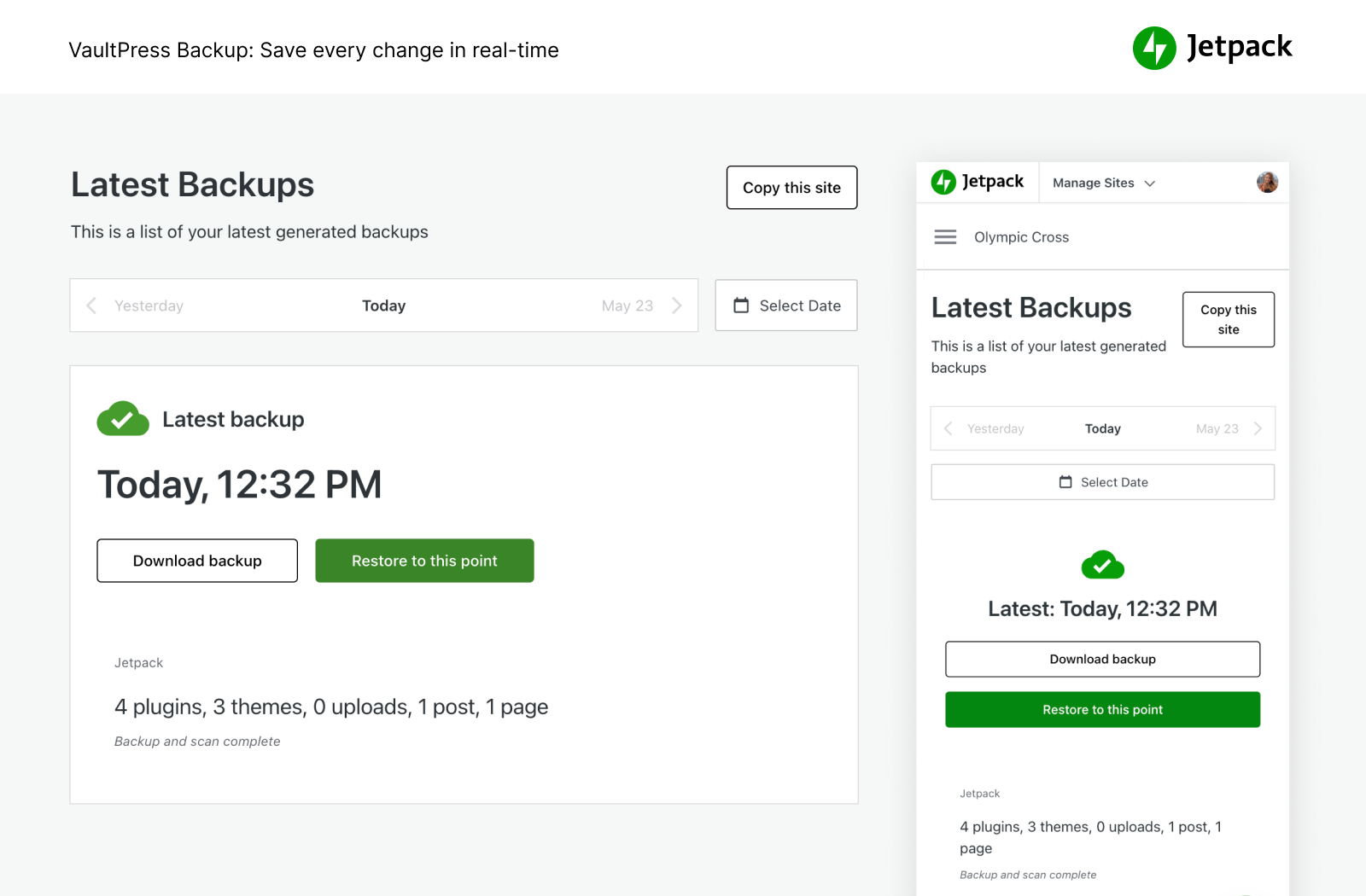
- Back up your site automatically in real time and restore to any point with one click. Cloud storage starts at 10GB, which is more than enough for most sites, with additional storage options available if needed. Great for eCommerce stores especially Woo.
- Gestiona la migración a un nuevo proveedor de alojamiento, migra archivos de temas y plugins a una nueva base de datos, crea copias de seguridad completas de bases de datos, clona sitios web, repara sitios web dañados al restaurar copias de seguridad anteriores o configura fácilmente un sitio de prueba al crear un duplicado de tu sitio web de WP actual.
- Consulta el registro de actividad para ver todos los cambios realizados en el sitio y la persona que los ha realizado, lo cual es ideal para las operaciones de coordinación, depuración, mantenimiento o solución de problemas.
- Examine incoming traffic to your WordPress site with our WAF (Web Application Firewall) and decide to allow or block it based on various rules.
- Add an important layer of protection to your site with our WAF (Web Application Firewall), particularly when attackers actively exploit unpatched vulnerabilities.
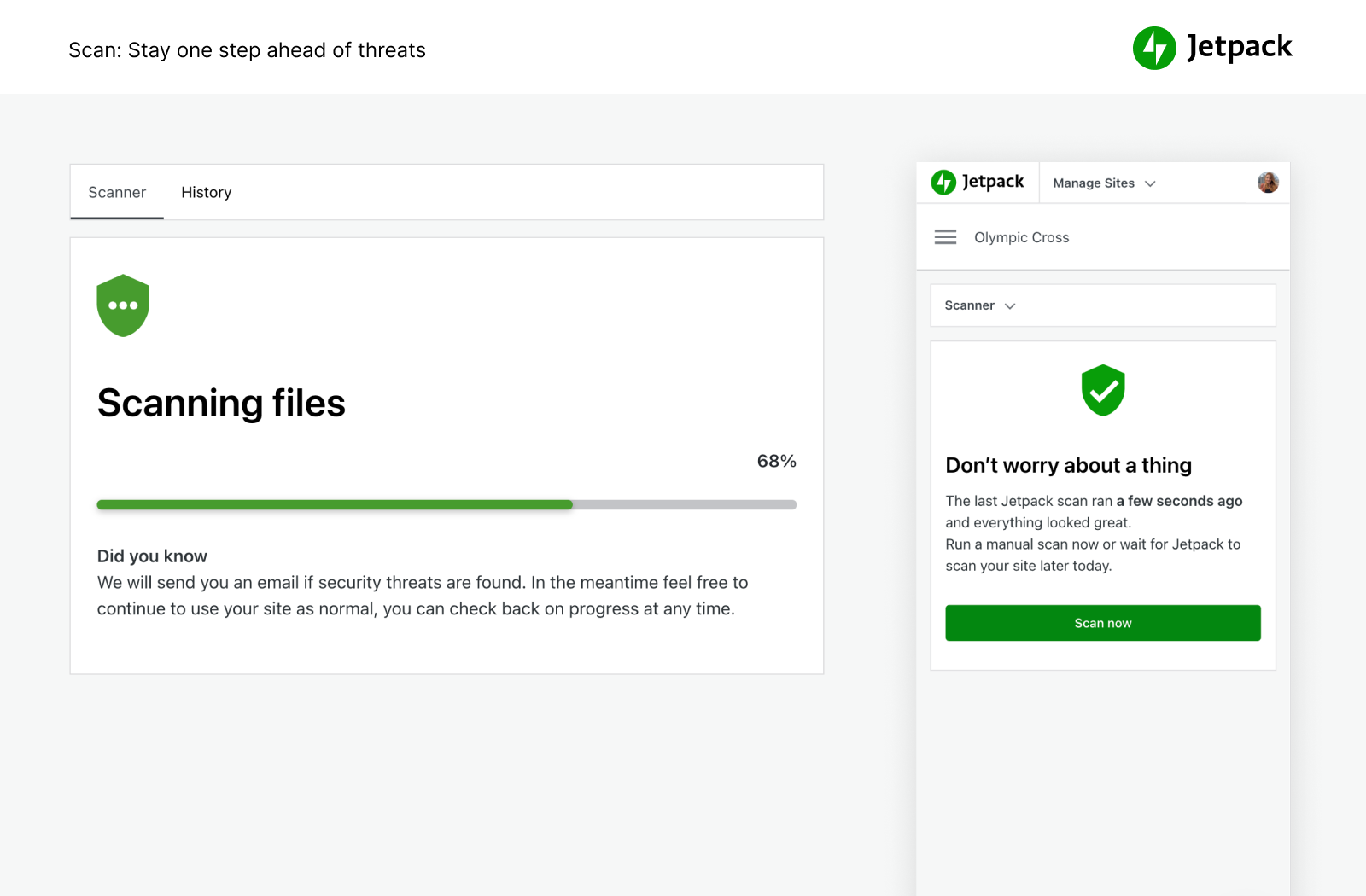
- Haz exploraciones de malware y de seguridad automáticamente en busca de otras amenazas de código. Corrección con un solo clic para restaurar tu sitio debido al malware.
- Bloquea las respuestas de formularios y los comentarios de spam con funciones de protección contra spam desarrolladas por Akismet.
- Protección contra los ataques de fuerza bruta para proteger la página de inicio de sesión de WordPress.
- Supervisa el tiempo de actividad e inactividad y recibe alertas instantáneas sobre los cambios por correo electrónico.
- Inicio de sesión seguro, con tecnología de WordPress.com y autenticación de dos factores (2FA) opcional, utilizado por millones de sitios para conseguir una mayor protección.
- Actualiza automáticamente los plugins para mantener y gestionar el sitio fácilmente.
You can purchase all of Jetpack’s security features in our Security bundle, or VaultPress Backup, Scan, and Akismet Anti-spam can each be purchased individually.
VELOCIDAD Y RENDIMIENTO MÁXIMOS
Get blazing fast site speed with Jetpack. Jetpack’s free CDN (content delivery network) auto optimizes your images. Watch your page load times decrease — we’ll optimize your images and serve them from our own powerful global network, and speed up your site on mobile devices to reduce bandwidth usage and save money!
- Image CDN for images and core static files, like CSS and JavaScript, served from our servers, not yours, which saves you money and bandwidth.
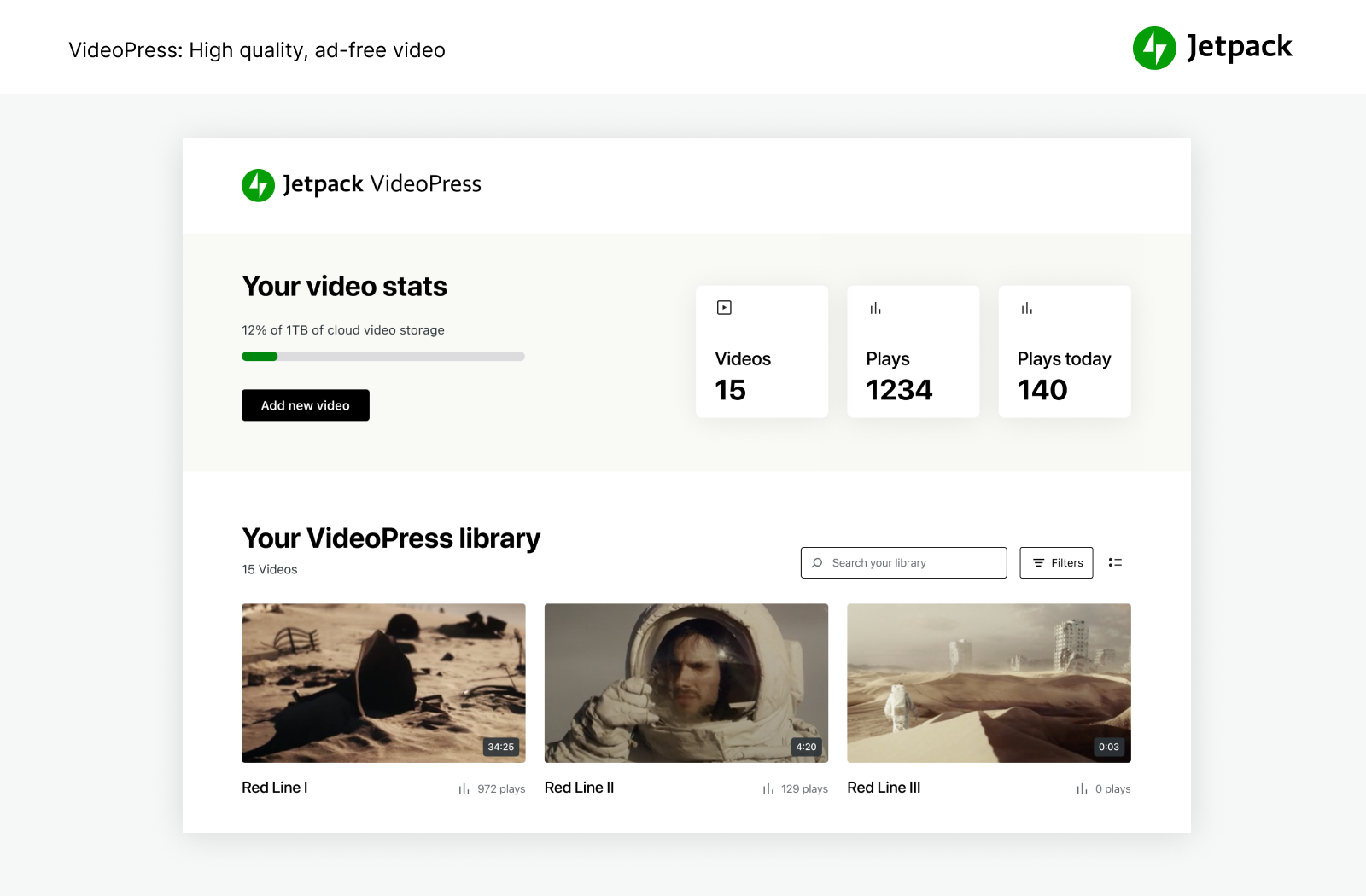
- El alojamiento ilimitado y gratuito de vídeos publicitarios a alta velocidad mantiene la atención en tu contenido, no en los anuncios o las recomendaciones que llevan a los usuarios a salir del sitio.
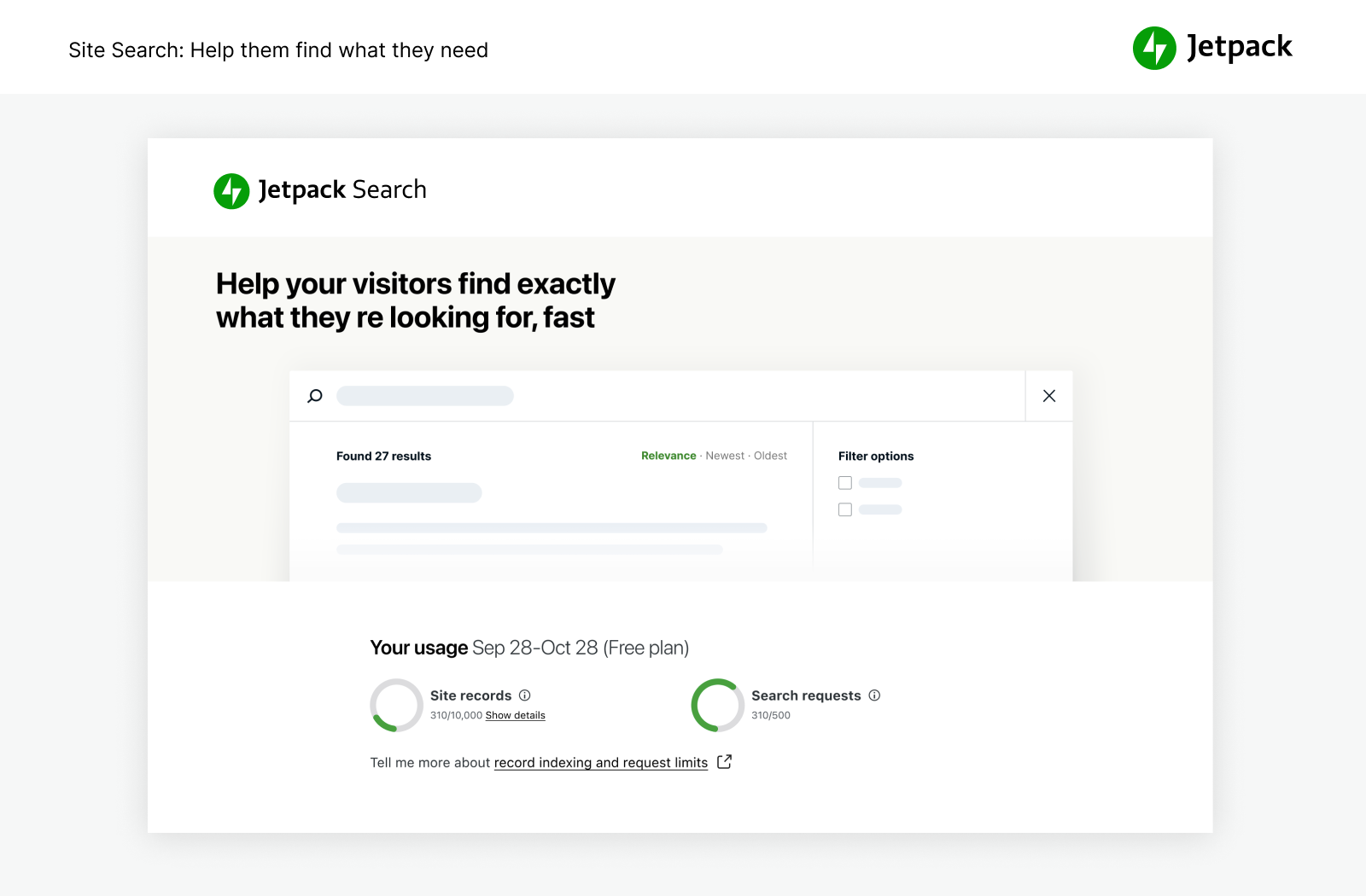
- La búsqueda personalizada en el sitio es increíblemente potente y personalizable. Ayuda a los visitantes a encontrar al instante el contenido adecuado para que puedan leerlo y comprar más productos. Funciona con sitios de comercio electrónico y WooCommerce para permitir el filtrado de productos, de manera que los clientes obtengan lo que quieren en tu sitio más rápidamente.
- Recommended to use with Jetpack Boost for ultimate WordPress site speed.
HERRAMIENTAS DE CRECIMIENTO POTENTES
Crea y personaliza tu sitio de WordPress, optimízalo para obtener visitantes e ingresos y disfruta viendo cómo mejoran tus estadísticas. Créalo, compártelo y míralo crecer.
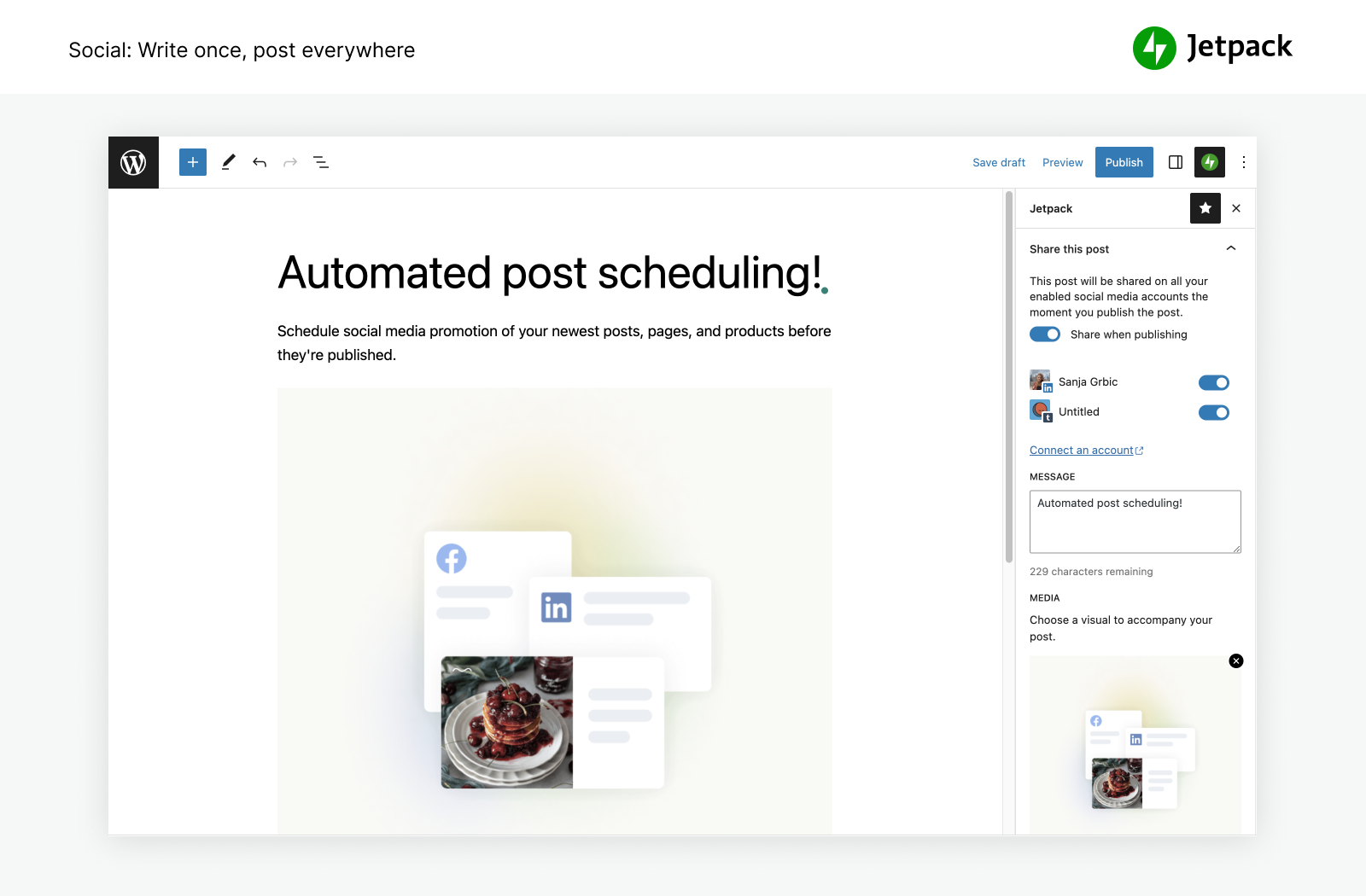
- Auto publish blog posts and products to social media by simply using our tools to connect to Facebook, Bluesky, Threads, Tumblr, Mastodon, LinkedIn, and Nextdoor.
- Comparte fácilmente publicaciones de Instagram en tus páginas y entradas de blog.
- Recauda pagos o donativos y vende productos, servicios o membresías mediante integraciones sencillas con Paypal y Stripe.
- Grow traffic with SEO tools for Google, Bing, Facebook, and WordPress.com. XML sitemap created automatically.
- Publica anuncios en tu sitio para generar ingresos. La red de anuncios hace el trabajo por ti automáticamente para encontrar anuncios de alta calidad que se coloquen en tu sitio.
- Gestiona las funciones de Jetpack desde cualquier lugar con la aplicación móvil de WordPress, disponible para Apple iOS (iPhone o iPad) y Google Android.
- ¿Quieres mejorar la gestión de tus relaciones con los clientes? Prueba el plugin CRM de Jetpack, que funciona junto con Jetpack para ofrecerte una manera sencilla y práctica de entablar relaciones con tus clientes y clientes potenciales.
POWERFUL STATS TO GROW YOUR SITE
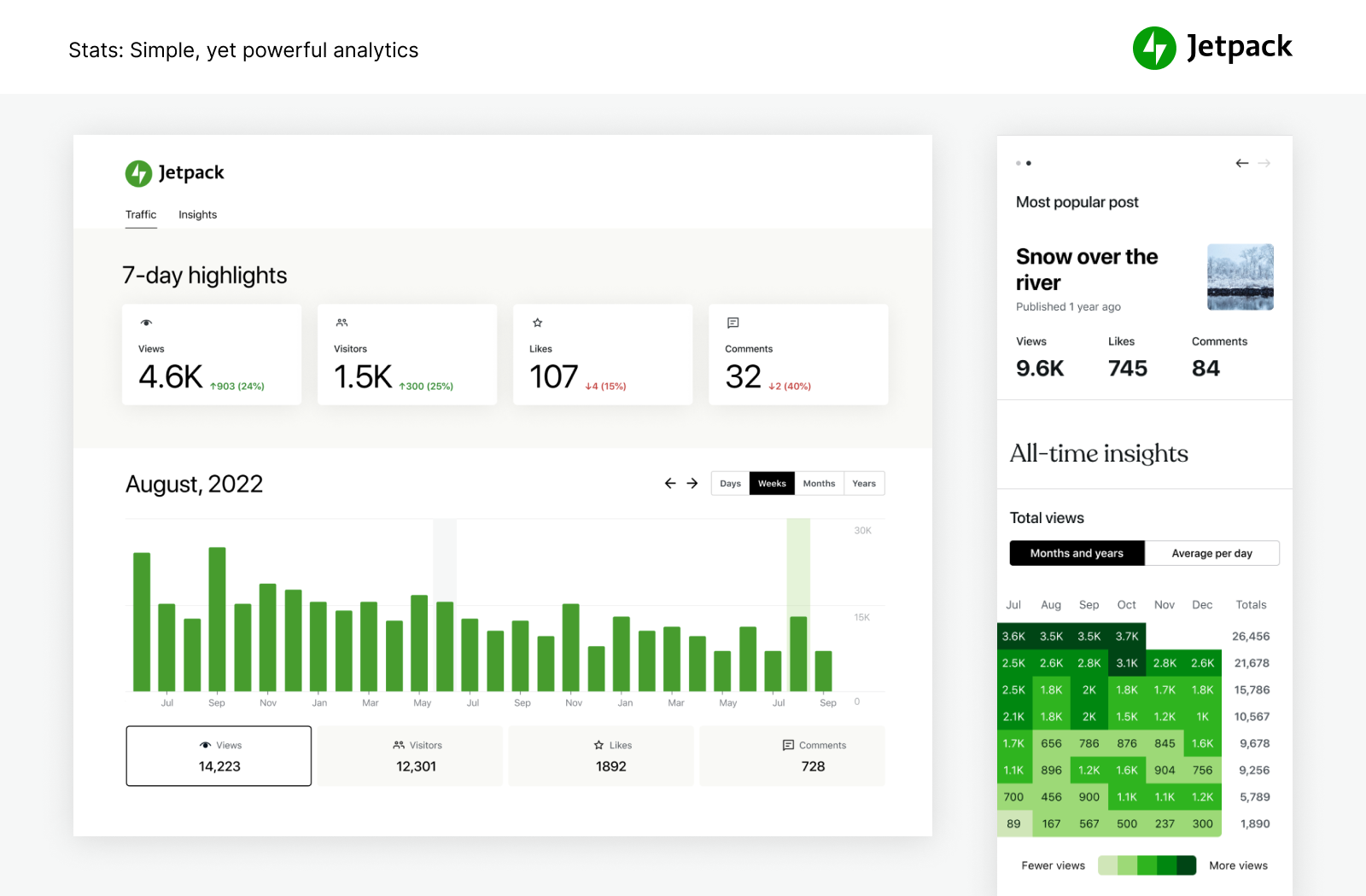
With Jetpack Stats, you don’t need to be a data scientist to see how your site is performing.
- Estadísticas y analíticas avanzadas del sitio para que comprendas a tu audiencia.
- Discover your top performing posts & pages.
- See who is creating the most popular content on your team with our author metrics.
- Easily keep track of your content creation habits & trends over the years.
- View weekly and yearly trends with 7-day Highlights and Year in Review.
- See what popular social networks your content is being shared to the most.
- Explore real-time data on visitors, likes, and comments.
- Get detailed insights on the referrers that bring traffic to your site.
- Discover what countries your visitors are coming from.
- Measure link clicks, video plays, and file downloads within your site.
WRITE SMARTER, NOT HARDER.
Experience the ease of crafting professional content with intuitive and powerful AI. Jetpack AI Assistant effortlessly integrates with your WordPress editor, offering an intuitive interface to interact with AI.
This powerful block lets you generate diverse content at your command, significantly reducing the time and effort required in content creation.
Simply provide a prompt, and watch as Jetpack AI Assistant crafts compelling blog posts, detailed pages, structured lists, and comprehensive tables – all tailored to your needs.
- Harness AI power directly from your editor.
- Unlock high-quality, tailored content at your command.
- Maintain professional standards with ease.
- AI-powered translations across numerous languages at your fingertips, breaking down language barriers.
PROMOTE YOUR CONTENT EASILY WITH JETPACK BLAZE
Find new fans by promoting your posts and pages across millions of sites in the WordPress.com and Tumblr ad network.
- Create your ad. Choose your audience. Set your budget. It’s that easy.
- Amplify your reach for just a few dollars.
HERRAMIENTAS DE DISEÑO FÁCILES DE USAR
Personaliza tu sitio rápidamente para que destaque sin necesidad de codificación.
- Themes — Simple WordPress themes to get started on your site.
- Entradas relacionadas. Mantén el interés de los visitantes en tu sitio web mostrándoles automáticamente contenido que les puede interesar.
- Herramientas de galerías y presentaciones. Galerías de imágenes, control deslizante del carrusel y presentaciones para tiendas y sitios de WP.
- Suscripciones. Facilita el registro de los visitantes para recibir notificaciones de tus entradas y comentarios más recientes.
- Formulario de contacto: crea formularios de contacto ilimitados de forma fácil y gratuita sin necesidad de codificación. Recibe notificaciones por correo electrónico para cada respuesta. Realiza la integración con soluciones de correo electrónico, como Creative Mail, para comunicarte con tus clientes y clientes potenciales rápidamente. Conéctate a Anti-spam de Jetpack (desarrollado por Akismet) para filtrar los envíos.
- Compatibilidad con oEmbed: incrusta fácilmente imágenes, entradas y enlaces de Facebook e Instagram.
INTEGRACIONES
Jetpack se actualiza mensualmente para garantizar una integración perfecta con los plugins principales de WordPress y otros productos tecnológicos.
- Built for WooCommerce: Jetpack and WooCommerce are both made by Automattic. Backup, Scan, Anti-spam, integrate perfectly for Woo / eComm stores.
- Jetpack es totalmente compatible con la versión v2.0 del plugin AMP oficial para WordPress.
- Better understand your customers and marketing with Google Analytics (GA) integration.
- Social media platforms: Instagram, Facebook, Tumblr, LinkedIn, Threads, Bluesky, Nextdoor.
- Simple Blocks to customize your site: Pinterest, Whatsapp, Podcast player, GIFs, maps, tiled gallery, slideshow.
- Payment processors: easily collect payments or donations and sell products through Stripe and PayPal.
- Plugins de velocidad y rendimiento del sitio: funcionan perfectamente con WP Super Cache by Automattic and Cloudflare.
- Formulario de contacto: Anti-spam (desarrollado por Akismet) bloquea los comentarios de spam de los formularios de Jetpack, Contact Form 7, Ninja Forms, Gravity Forms y Formidable Forms, entre otros.
- Otras integraciones tecnológicas: Instagram, Creative Mail, Mailchimp, Calendly, Whatsapp, Pinterest y Revue, entre otras.
EXPLORE MORE OF JETPACK
If you like Jetpack, consider checking out our other products and bundles
- Jetpack Complete – The Complete bundle with real‑time security, top performance, and everything you need to grow your business.
- Jetpack Security – Our Security bundle provides easy‑to‑use, comprehensive WordPress site security, including real‑time backups, a web application firewall, malware scanning, and spam protection.
- Jetpack Backup – Save every change and get back online quickly with one‑click restores from Jetpack VaultPress Backup.
- Jetpack Scan – Protect your site from bad actors around‑the‑clock ‑ with our web application firewall (WAF) and automated malware scanning with one‑click fixes.
- Jetpack Search – Instantly deliver the most relevant results to your visitors with Jetpack Search. No coding required, no ads, and no tracking.
- Jetpack Boost – Increase your website speed. Enjoy the same performance advantages as the world’s leading websites, no developer required.
- Jetpack VideoPress – Display stunning‑quality video with none of the hassle. Drag and drop videos through the WordPress editor and keep the focus on your content, not the ads.
- Jetpack AI – Turn your ideas into ready‑to‑publish content at lightspeed.
- Jetpack Stats – Keep track of your website visits, popular posts, newsletter subscribers and more.
- Jetpack Social – Automatically share your website content to your favorite social media platforms, from one place.
- Jetpack CRM – Jetpack CRM has all of the tools you need to grow your business. It’s also modular, so you can customize it to suit your needs.
- Jetpack Creator – Craft stunning content, boost your subscriber base, and monetize your online presence.
- Jetpack Newsletter – Transform your blog posts into newsletters to easily reach your subscribers. Offer paid subscriptions and earn from your content.
KEEP SPAM OFF YOUR WEBSITE
- Akismet Anti-spam – Automatically clear spam from comments and forms. Save time, get more responses, give your visitors a better experience – all without lifting a finger.
PROMOTE YOUR CONTENT FOR MORE VIEWS
- Blaze – Find new fans by promoting your posts and pages across millions of sites in the WordPress.com and Tumblr ad network.
MANAGE MORE THAN ONE SITE?
- Jetpack Manage – All the tools you need to manage multiple WordPress sites. Monitor site security, performance, and traffic, and get alerted if a site needs attention.
FLY HIGHER WITH INDIVIDUAL PLUGINS
Ever wish you could have just one feature of Jetpack in its own plugin? Now you can. Check out our individual plugins and install only what you need.
Capturas
Bloques
Este plugin proporciona 52 bloques.
- Form Create forms to collect data from site visitors and manage their responses.
- All Playlists Every playlist on the site, paginated, under a heading you can edit.
- VideoPress Embed a video from your media library or upload a new one with VideoPress.
- Latest Videos Playlist VideoPress powered list of your latest videos in a single customizable player. New uploads show up automatically.
- Video Playlist VideoPress powered list of videos in a single customizable player. Build the playlist from your VideoPress library or video links.
- Related Posts Display a list of related posts.
- Donations Form Collect one-time, monthly, or annually recurring donations.
- GIF Search for and insert an animated image.
- Business Hours Display opening hours for your business.
- Top Posts & Pages Display your most popular content.
- OpenTable Book a reservation with OpenTable.
- Voice to content Transform your spoken words into a post ready to publish with AI.
- Google Calendar Embed a Google Calendar.
- Ad Earn income by adding high quality ads to your post.
- Like Give your readers the ability to show appreciation for your posts.
- Cookie Consent Display a customizable cookie consent banner. To display this block on all pages of your site, please add it inside a Template Part that is present on all your templates, like a Header or a Footer.
- Payments Sell products and services or receive donations on your website.
- Writing Prompt Answer a new and inspiring writing prompt each day.
- Sharing Buttons Give your readers the ability to easily share your content with X, Facebook, Tumblr, LinkedIn, and a host of other services to help spread your message across the web.
- Recipe (Beta) Add images, ingredients and cooking steps to display an easy to read recipe.
- Blog Stats Show a stats counter for your blog.
- Star Rating Rate movies, books, songs, recipes — anything you can put a number on.
- Contact Info Add an email address, phone number, and physical address with improved markup for better SEO results.
- Latest Instagram Posts Display an automatically updating list of the latest posts from your Instagram feed.
- Nextdoor Embed a Nextdoor post for your neighbors on your blog.
- Send A Message Let your visitors send you messages with the tap of a button.
- Podcast Player Select and play episodes from a single podcast.
- Image Compare Compare two images with a slider. Works best with images of the same size.
- Subscriber Login Show links for subscribers to login, logout, or manage their subscription.
- Google Docs (Beta) Embed a Google Document.
- Goodreads Features books from the shelves of your Goodreads account.
- Calendly Embed a calendar for customers to schedule appointments.
- Subscribe Subscribe to this blog's posts as a newsletter.
- Markdown Add headings, lists, or links to plain text with ease.
- Tock Reserve a table at your restaurant with Tock.
- Pinterest Embed a Pinterest pin, board, or user.
- Zoom Scheduler Embed a Zoom Scheduler booking page.
- Mailchimp Allow readers to join a Mailchimp audience.
- Repeat Visitor Control block visibility based on how often a visitor has viewed the page.
- AI Assistant Elevate your content creation with our AI-powered Gutenberg Block, offering seamless customization and generation. Bear in mind that, as an evolving tool, occasional imprecision may occur.
- Blogroll Share the sites you follow with your users.
- Tiled Gallery Display multiple images in an elegantly organized tiled layout.
- Map Add an interactive map showing one or more locations.
- Payment Buttons Sell products and subscriptions.
- Story Add an interactive story.
- Eventbrite Checkout Embed Eventbrite event details and ticket checkout.
- Jetpack AI Search Provide a summarized answer to questions, trained on the sites content. Powered by AI.
- Paid Content Restrict access to your content for paying subscribers.
- Slideshow Display multiple images in sequential order.
- Payment Button Button allowing you to sell products and subscriptions.
- Paywall Limit access to the content below this block to chosen subscribers.
- Sharing Button Display a sharing button, allowing users to share your post.
Instalación
Instalación automática
La instalación es gratis,rápida y sencilla. Configura el plan gratuito en minutos.
Alternativas manuales
Alternativamente, instala Jetpack a través del directorio de plugins, o sube manualmente los archivos a tu servidor y sigue las instrucciones en pantalla. Si necesitas ayuda adicional lee nuestras instrucciones detalladas.
Preguntas frecuentes
-
¿Es Jetpack gratis?
-
Yes! Jetpack’s core features are free for non-commercial sites.
Incluyen estadísticas del sitio, una red de publicación de contenido (CDN) de alta velocidad para imágenes, entradas relacionadas, supervisión del tiempo de inactividad, protección contra ataques de fuerza bruta, uso compartido automático en redes sociales, personalización de la barra lateral, herramientas SEO (optimización para motores de búsqueda) y mucho más.
-
¿Debería comprar un plan de pago?
-
It depends on your site and what kind of protection, performance, and design you need. If you make money from your site, the answer is “yes.” For context, Jetpack’s paid services include real-time backups, security scanning, spam filtering, video hosting, site monetization, search, priority support, and more.
Para obtener más información sobre la seguridad esencial y los servicios de WordPress que prestamos, además de ver cómo podemos mejorar tu sitio, visita nuestra página de planes.
-
¿Por qué necesito una cuenta de WordPress.com?
-
Como Jetpack y sus servicios los ofrece y están alojados en WordPress.com, se requiere una cuenta de WordPress.com para que funcione Jetpack.
-
Ya tengo una cuenta de WordPress, pero Jetpack no funciona. ¿Qué está pasando?
-
La cuenta de WordPress.com es distinta de la que usas para acceder a tu WordPress alojado por tu cuenta. Si puedes acceder a WordPress.com entonces ya tienes una cuenta de WordPress.com. Si no puedes, crea una fácilmente durante la instalación.
-
¿Cómo ver mis estadísticas?
-
Una vez que hayas instalado Jetpack, tus estadísticas estarán disponibles en el escritorio de Jetpack y en la aplicación móvil oficial de WordPress.
-
¿Cómo puedo contribuir a Jetpack?
-
Hay oportunidades para contribuir para desarrolladores a todos los niveles. Aprende cómo contribuir a Jetpack o considera unirte a nuestro programa beta.
-
¿Qué más incluye Jetpack?
-
Jetpack, el kit de herramientas fundamental de WP para el editor clásico y el editor de bloques, te proporciona todo lo que necesitas para un sitio profesional. Incluye las siguientes funciones:
- Registro de actividad. Supervisa todos los cambios realizados en el sitio para fines de depuración, solución de problemas o mantenimiento.
- Anuncios. Obtén ingresos mostrando anuncios de calidad en tu sitio.
- Hermosa matemática. Utiliza el lenguaje de marcado LaTeX para escribir ecuaciones y fórmulas matemáticas complejas, etc.
- Control deslizante del carrusel. Muestra una magnífica experiencia de exploración de fotos en pantalla completa con comentarios y metadatos EXIF.
- Red de publicación de contenido (CDN). Ayuda a cargar tus páginas más rápidamente permitiendo que Jetpack optimice tus imágenes y proporcione tus imágenes y archivos estáticos (como CSS y JavaScript) desde nuestra red global de servidores.
- Comentarios. Reemplaza tu formulario de comentarios por defecto por un sistema mejorado con opciones de acceso a redes sociales integradas.
- «Me gusta» de los comentarios. Permite a los lectores hacer clic en «Me gusta» en los comentarios de los demás para mostrar su acuerdo, aprobación o reconocimiento.
- Formulario de contacto. Ofrece a tus lectores la posibilidad de ponerse en contacto contigo sin tener que dar tu correo electrónico personal.
- CSS personalizado. Personaliza la apariencia de tu tema sin tener que crear un tema secundario ni preocuparte por si las actualizaciones sobrescriben los cambios personalizados.
- Tipo de contenido personalizado. Añade tipos de contenido personalizado (CPT) a tu sitio.
- Supervisor del tiempo de inactividad. Te alerta por correo electrónico si tu sitio se cae para que te asegures de mantener el tiempo de actividad.
- Extra Sidebar Widgets — Extra widgets you can add to your blog, including RSS Links and Facebook Like Boxes.
- Gravatar Hovercards. Haz que tu perfil de Gravatar esté visible para los usuarios que visualicen tu blog.
- Google Analytics (GA). Haz un seguimiento de las estadísticas de tu sitio de WordPress mediante Google Analytics.
- Desplazamiento infinito. Hace que se muestren las siguientes entradas automáticamente cuando el lector se acerca al final de la página.
- API de JSON. Autoriza a las aplicaciones y los servicios a conectarse a tu blog de manera segura y les permite utilizar tu contenido u ofrecerte nueva funcionalidad.
- «Me gusta». Permite a los lectores mostrar su reconocimiento acerca de tus entradas con un solo clic.
- Markdown. Permite componer entradas y comentarios con enlaces, listas y otros estilos, mediante el uso de caracteres regulares y signos de puntuación. Los escritores y los blogueros que buscan una manera rápida y fácil de escribir texto enriquecido sin tener que quitar las manos del teclado utilizan Markdown.
- Detección de malware: exploraciones de malware automáticas que protegen tu sitio web de WP con una resolución automatizada.
- Notificaciones. Recibe notificaciones de nuevos comentarios y «Me gusta» en la barra de administración y el dispositivo móvil.
- Compatibilidad con oEmbed: incrusta fácilmente imágenes, entradas y enlaces de Facebook e Instagram.
- Gestión de plugins. Permite mantener el sitio fácilmente eligiendo qué plugins se actualizan automáticamente.
- Publicar por correo electrónico. Publica entradas mediante cualquier cliente de correo electrónico.
- Proteger. Protege tu sitio contra ataques de inicio de sesión de fuerza bruta tradicionales y distribuidos.
- Difundir. Comparte nuevas entradas en redes sociales automáticamente o programa usos compartidos futuros con mensajes personalizados.
- Entradas relacionadas. Muestra entradas contextuales que tus visitantes pueden estar interesados en leer después de terminar su entrada actual.
- Autenticación segura. Inicio de sesión seguro, con tecnología de WordPress.com y autenticación de dos factores (2FA) opcional, utilizado por millones de sitios para conseguir una mayor protección.
- Explorador de seguridad — Antivirus y detección de otras amenazas para tu sitio WordPress con resolución automática.
- Búsqueda. Un reemplazo potente para la búsqueda integrada de WordPress, desarrollada por Elasticsearch, en la nube de WordPress.com.
- Herramientas de SEO. Optimiza tu sitio para los motores de búsqueda aprovechando las herramientas de SEO.
- Uso compartido. Permite añadir botones de compartir a tus entradas de blog para que los lectores puedan compartir tu contenido fácilmente.
- Shortcode Embeds — Embed videos from YouTube and other media across the web.
- Copia de seguridad del sitio: haz una copia de seguridad de todo el sitio automáticamente. Duplica, clona, migra, transfiere a un nuevo proveedor de alojamiento y restaura fácilmente. Antes conocido como VaultPress.
- Estadísticas del sitio. Visualiza las visitas del sitio por fecha, así como las páginas y las entradas más populares.
- Verificación del sitio. Verifica tu sitio para su uso con Google, Bing, Pinterest y sus herramientas.
- Mapa del sitio. Genera una lista de páginas que los motores de búsqueda, como Google o Bing, indexarán.
- Filtrado de spam. Filtra automáticamente valoraciones de producto, envíos de formularios de contacto o comentarios de spam.
- Suscripciones. Permite a los visitantes recibir notificaciones de tus entradas o comentarios más recientes.
- Galerías en mosaico. Muestra tus galerías de imágenes en tres estilos distintos: mosaico rectangular, mosaico cuadrado y cuadrícula circular.
- Alojamiento de vídeo. Carga vídeos para alojarlos de manera rápida y fiable en WordPress.com.
- Enlaces cortos a WP.me. Genera enlaces cortos y sencillos a tu contenido mediante el dominio wp.me.
- Visibilidad de widgets. Configura los widgets para que aparezcan solamente en páginas concretas.
- Barra de herramientas de WordPress.com. La función Barra de herramientas de WordPress.com reemplaza a la barra de administración por defecto y ofrece enlaces rápidos al Lector, a todos tus sitios, a tu perfil de WordPress.com y a las notificaciones.
-
¿Qué bloques incluye Jetpack?
-
Los bloques son las secciones individuales que conforman una página. Puedes usar muchos tipos de bloques. Cada bloque se puede editar o mover con independencia de los demás. En esta lista aparecen todos los bloques que están disponibles en Jetpack en este momento.
- Bloque Anuncios. Este bloque permite insertar una unidad de Jetpack Ads en cualquier parte del contenido de una entrada o página.
- Bloque Horario comercial. Este bloque te permite mostrar el horario de apertura de tu negocio en tu sitio.
- Bloque de Calendly. Este bloque de Jetpack permite a los visitantes programar citas individuales, eventos de grupo y reuniones de equipo directamente desde su sitio web.
- Bloque Información de contacto. Este bloque te permite añadir tu información de contacto (dirección de correo electrónico, dirección física y número de teléfono) a cualquier entrada o página.
- Bloque Donativos. Este bloque permite añadir un botón de pago a cualquier entrada o página para donativos, propinas u otras contribuciones utilizando Stripe como pasarela de pago.
- Bloque de Eventbrite. Con este bloque, puedes incrustar eventos en entradas o páginas
- Bloque Formulario. Este bloque permite añadir un formulario en una entrada o página.
- Bloque GIF. Este bloque te permite buscar e incrustar fácilmente una imagen GIF animada de Giphy directamente en una entrada o página de tu sitio de WordPress.
- Bloque Calendario de Google. Este bloque te permite incrustar fácilmente un calendario de Google en tu entrada o página.
- Bloque Comparación de imágenes. Este bloque permite mostrar y comparar las diferencias entre dos imágenes en paralelo (o situadas una encima de la otra) mediante un control deslizante.
- Bloque Entradas de Instagram más recientes. Este bloque te permite mostrar tus imágenes más recientes de Instagram en tu sitio. El bloque se actualiza automáticamente cuando publicas nuevas imágenes en Instagram.
- Bloque de Mailchimp. Este bloque permite a los visitantes unirse a tu lista de Mailchimp.
- Bloque Mapas. Este bloque te permite añadir un mapa a las entradas o páginas de tu sitio.
- Bloque de Markdown. Con este bloque, puedes crear contenido formateado utilizando solo caracteres regulares y algunos signos de puntuación.
- Bloque de OpenTable. Con este bloque, puedes añadir un formulario de reserva a las entradas o páginas.
- Bloque Pago con PayPal. Este bloque permite añadir un botón de pago a las entradas o páginas y empezar a recibir inmediatamente pagos mediante PayPal por productos físicos, artículos digitales o donativos.
- Bloque Pagos. Este bloque permite añadir un botón de pago utilizando Stripe como pasarela de pago. Funciona tanto para los pagos únicos como para los recurrentes.
- Bloque de Pinterest. Usar este bloque es la manera más fácil de incrustar contenido de Pinterest en tu sitio, como tableros, perfiles y pins.
- Bloque Reproductor de podcasts. Este bloque de Jetpack permite mostrar fácilmente a los visitantes una lista de episodios recientes de un podcast y reproducirlos en tu sitio web.
- Bloque Entradas relacionadas. La función Entradas relacionadas analiza todo el contenido de tus entradas y lo utiliza para mostrar entradas contextuales a los visitantes que podrían estar interesados en leerlas después de haber terminado la entrada actual.
- Bloque Visitante recurrente. Este bloque permite al autor controlar la visibilidad de sus bloques anidados en función del número de veces que un visitante ha visitado la página previamente.
- Bloque de Revue. El bloque de Revue crea un formulario de registro sencillo para que los lectores puedan suscribirse a tu boletín informativo.
- Slideshow Block – The Slideshow block lets you insert an image slideshow into a post or page.
- Bloque Valoración de estrellas. Con este bloque, los autores pueden añadir reseñas a sus sitios.
- Bloque Formulario de suscripción. Este bloque te permite insertar un formulario de suscripción en el área de contenido de cualquier entrada o página, y permite a los lectores recibir notificaciones cuando publicas nuevas entradas.
- Bloque Galería en mosaico. Con este bloque, puedes mostrar tus galerías de imágenes en cuatro estilos: mosaico, cuadrícula circular, mosaicos cuadrados o columnas en mosaico.
- Bloque Video. El bloque de vídeos mejora el bloque Video de WordPress existente y permite cargar videos de tu ordenador y alojarlos en WordPress.com en lugar de en los servidores de tu proveedor de alojamiento.
- Bloque Botón de WhatsApp: el bloque Botón de WhatsApp permite a los clientes enviar un mensaje para realizar consultas sobre productos o servicios, así como solicitar soporte técnico. Al hacer clic en el botón, WhatsApp se abrirá y se rellenará previamente el número de teléfono y el mensaje inicial.
Jetpack también ha creado extensiones para algunos de los bloques principales de WordPress:
- Vistas previas de las entradas de redes sociales: esta extensión del editor de bloques te permite obtener una vista previa de la apariencia de tu entrada o página en los motores de búsqueda y las redes sociales.
-
¿Necesito un certificado SSL?
-
No necesitas un certificado SSL para ejecutar Jetpack en tu web WordPress. Sin embargo, se recomienda integrar ambos en tu estrategia general de seguridad de WordPress. Un certificado SSL (certificado de capa de sockets seguros) crea una conexión segura entre tu web y los navegadores de los visitantes de tu sitio. Cifra cualquier dato compartido en tu sitio —como direcciones, correos electrónicos, números de teléfono y datos de tarjetas de crédito— y protege los datos frente a los hackers.
Si no cuentas con un certificado SSL, tu sitio mostrará la advertencia «No seguro» en los navegadores de los usuarios, lo que a su juicio puede reducir tu legitimidad. Los certificados también tienen un impacto positivo en el posicionamiento en los motores de búsqueda.
El proceso de configuración de un certificado SSL dependerá del proveedor de alojamiento. Algunos proveedores de alojamiento incluyen certificados gratuitos, mientras que otros aplican un cargo anual.
-
¿Cómo funciona Jetpack con WP Super Cache?
-
WP Super Cache funciona almacenando en caché tus páginas de WordPress como páginas HTML estáticas, de modo que no es necesario que los scripts PHP de WordPress procesen las solicitudes de página para una página que ya está almacenada en caché. Normalmente, la mayoría de visitantes de tu sitio verán versiones almacenadas en caché de las páginas de WordPress, de modo que tu servidor tendrá más potencia de procesamiento para prestar servicio a un mayor número de usuarios.
Jetpack cuenta con una red de publicación de contenido (CDN) de imágenes que funciona almacenando en caché y publicando tus imágenes de WordPress a nivel global desde sus propios servidores. Estos plugins, mantenidos por Automattic, funcionan conjuntamente para proporcionarte la máxima velocidad en el sitio.
Automattic actively develops Jetpack Boost to help you increase your website speed in ways beyond WP Super Cache. We recommend using Jetpack Boost instead of WP Super Cache.
-
¿Qué versión de PHP necesito?
-
Sites must be built on PHP 7.4 or greater, but Jetpack always supports the latest version of PHP.
-
¿Jetpack puede ayudar a mi sitio a cumplir el RGPD?
-
Nuestro banner sobre cookies y consentimiento te puede ayudar a cumplir el RGPD. La Directiva sobre la privacidad y las comunicaciones electrónicas de la Unión Europea (a la que se hace referencia a menudo como la «ley de cookies») y el Reglamento General de Protección de Datos (RGPD) obligan a los propietarios y los operadores de sitios web a proporcionar información acerca de las cookies y obtener el consentimiento para su uso.
-
¿Se puede utilizar Jetpack para transferir sitios web a un nuevo proveedor de alojamiento?
-
Jetpack Backup puede hacer una migración completa del sitio web a un nuevo proveedor de alojamiento, migrar archivos de temas y plugins a una nueva base de datos, crear copias de seguridad completas de bases de datos, clonar sitios web, reparar sitios web dañados al restaurar copias de seguridad anteriores y, además, te permite configurar fácilmente un sitio de prueba al crear un duplicado de tu sitio web actual.
Reseñas


Colaboradores y desarrolladores
«Jetpack: seguridad, copia de seguridad, velocidad y crecimiento de WP» es un software de código abierto. Las siguientes personas han colaborado con este plugin.
Colaboradores-
Automattic
-
Adam Heckler
-
Adi Moldovan
-
Andrew Duthie
-
Alex Kirk
-
Allen Snook
-
alternatekev
-
Andy Skelton
-
Anna McPhee
-
annezazu
-
Andy Peatling
-
arcangelini
-
arsihasi
-
Andrew Ozz
-
Barry
-
Mohammad Jangda
-
Beau Lebens
-
bindlegirl (a11n)
-
biskobe
-
Brad Jorsch
-
Ben Lobaugh (blobaugh)
-
brbrr
-
Briley
-
Michael Cain
-
Cena (a11n)
-
Christopher Finke
-
cgastrell
-
Chase Livingston
-
Michelle Langston
-
clickysteve
-
csonnek
-
Daniel Bachhuber
-
daniloercoli
-
Davor
-
Piotr Delawski
-
Sheri Grey
-
dkmyta
-
Daryl L. L. Houston (dllh)
-
Devin Walker
-
Dan (a11n)
-
Derek Smart
-
Jared
-
dzver
-
Eric Binnion
-
Echo
-
Elio Rivero
-
Enej Bajgorić
-
Eoin Gallagher
-
Stef (a11n)
-
Erick Hitter
-
Foteini Giannaropoulou (a11n)
-
Gregory Cornelius
-
George Stephanis
-
Greg Ichneumon Brown
-
goldsounds
-
hew
-
Hugo Baeta
-
hypertextranch
-
Matt Miklic
-
Ian Dunn
-
Joen Asmussen
-
Jeff Bowen
-
jeffgolenski
-
Jeremy Herve
-
Jenny (a11n)
-
Jenia
-
jessefriedman
-
Greg
-
Joey Kudish
-
Jennifer M. Dodd
-
joanrho
-
John James Jacoby
-
Em Shreve
-
kbrownkd (a11n)
-
keoshi
-
Jorge Bernal
-
Brandon Kraft
-
Lance Willett
-
leogermani
-
Luiz Kowalski
-
Lisa Schuyler
-
James Huff
-
martinremy
-
Matt Mullenweg
-
Matt Wiebe
-
Matias Ventura
-
Jeff Golenski
-
Miguel Fonseca
-
Michael Adams (mdawaffe)
-
Matthew Denton
-
Michael Arestad
-
Miguel Lezama
-
miguelxavierpenha
-
Mikey Arce
-
Marcus Kazmierczak
-
Nancy
-
Nick Momrik
-
njweller
-
nunyvega
-
Konstantin Obenland
-
Osk
-
Gary Pendergast
-
Jesse Friedman
-
rachelsquirrel
-
Rich Collier
-
Renato Augusto Gama dos Santos
-
retrofox
-
Richard Archambault
-
Richard Muscat
-
Rob Pugh
-
Rocco Tripaldi
-
Ryan C.
-
Sam Hotchkiss
-
Sami Falah
-
Stefan Carstocea
-
Scott (@scottsweb)
-
sdixon194
-
Stephen Quirk
-
sermitr
-
Mikael Korpela
-
Stephane Daury (stephdau)
-
Douglas Henri
-
Tim Moore
-
Marin Atanasov
-
Alex Mills
-
Peter Westwood
-
William Viana
-
Karen Attfield
-
Yoav Farhi
-
Igor Zinovyev
«Jetpack: seguridad, copia de seguridad, velocidad y crecimiento de WP» ha sido traducido a 50 idiomas locales. Gracias a los traductores por sus contribuciones.
Traduce «Jetpack: seguridad, copia de seguridad, velocidad y crecimiento de WP» a tu idioma.
¿Interesado en el desarrollo?
Revisa el código , echa un vistazo al repositorio SVN o suscríbete al registro de desarrollo por RSS.
Registro de cambios
16.3 – 2026-10-06
Major Enhancements
- Dashboard: Remove the legacy At a Glance dashboard and Recommendations assistant.
Enhancements
- Activity Log: Make Activity Log a Jetpack module so it can be turned on and off from My Jetpack, hiding the sidebar entry when off.
- Activity Log: Show the connection error notice only when a connection error has been recorded.
- Admin Menu: Hide feature menu items from sidebar when features are turned off.
- AI: Add a «How it works» guide to the top of the MCP and Connectors tab.
- AI: Add ChatGPT and Codex setup instructions to the MCP agent setup page.
- AI: Hide the legacy AI panel once a site is eligible to turn on the WordPress Agent, and offer to open or enable the Agent in its place.
- AI: Load the «Scheduled tasks» tab only when it is opened, so the AI page loads less code.
- AI: Point the Cursor setup instructions on the MCP agent setup page at the WordPress.com plugin on the Cursor Marketplace.
- AI: Point the disconnected-site notice at documentation instead of a connect link when the current user cannot connect the site, as on VIP and multisite.
- AI: Serve the Jetpack AI page through the standard Jetpack admin frame.
- AI: Show one notice explaining why Jetpack AI is unavailable, worded the same on the Overview and AI Features tabs.
- AI: Use WordPress Design System colors in the AI admin, assistant, and image generator.
- Backup: Show the VaultPress Backup dashboard in wp-admin, instead of linking out to Jetpack Cloud.
- Charts: Show Stats, Newsletter, Social, Podcast and VideoPress chart tooltips on the dark WordPress design system tooltip surface.
- Connection: Show an admin notice and a clearer Site Health result when WordPress.com cannot verify the site’s SSL certificate.
- Connection: Show every connection error in one notice, each with the account it affects, and link to Site Health when a firewall is blocking WordPress.com.
- Daily Writing Prompt: Stop offering the Write editor after a switch to the Block editor.
- Donations Form: Replace the «Accept Donations with Stripe» modal with a link to Stripe’s donation requirements.
- External Media: Update the Pexels logo in the media source menu.
- Forms: Make the Delete spam button act on selected responses or the current filter, show how many responses will be deleted, and empty large spam or trash folders in chunks with progress.
- Forms: Reopen the dashboard on the last tab used instead of always the default.
- Forms: Show or hide a field based on the answer to another field, on WordPress.com Business plans and higher.
- Likes: Give Comment Likes their own section on Settings > Sharing, and suggest the Like block on block themes even when Comment Likes are on.
- Likes: Guide block-theme users from legacy Like buttons to the Like block in Jetpack Settings and My Jetpack.
- My Jetpack: Answer module switch clicks immediately, and explain what happened when a change fails.
- My Jetpack: Show product cards flat, without a drop shadow.
- My Jetpack: Show the dashboard in the new rounded admin page frame.
- My Jetpack: Show the Features tab in place of the Products tab, and link the footer’s modules links to its list view.
- My Jetpack: Show the Jetpack menu notification badge when a connection error is detected.
- Newsletter: Add a «Freshly Pressed» tab to the Daily Writing Prompt dashboard widget, listing the posts WordPress.com is currently featuring.
- Newsletter: Format stats metrics and open/click rates with locale-aware number formatters.
- Newsletter: List the enabled pop-up, overlay, and floating button below the footer when editing a template in the Site Editor.
- Newsletter: Redesign the Jetpack Newsletter sidebar with Email, Newsletter categories, and Audience panels.
- Newsletter: Sync the active theme’s colors and typography so post emails can match the site’s design.
- Notices: Render Jetpack admin and My Jetpack dashboard notices with the WordPress design system Notice component.
- Partner Coupons: Move coupon redemption from the legacy dashboard to My Jetpack.
- PayPal Payment Buttons: Use PayPal’s official logos, unmodified, and match the connect wizard to the design.
- Plugins page: Ask for optional feedback when deactivating Jetpack.
- Search: Show each of the No Results block’s empty-state messages as it will appear to visitors while editing, and tell the messages apart by name when browsing the page structure.
- Search: Show the dashboard in the new rounded admin page frame.
- Search: Skip the $0 checkout when activating the free Search plan.
- Settings: Move the Settings page to its own admin page in the new Jetpack admin frame; existing links redirect there.
- Settings: Open support links as WordPress.com support docs inside the Help Center on WordPress.com sites.
- Sharing: Group «Disable CSS and JS» with the sharing button settings, and hide it while sharing buttons are off.
- Sharing settings: Give «Show buttons on» a section of its own.
- Sharing settings: Keep the sharing buttons configuration available on block themes, alongside the recommendation to use the Sharing Buttons block.
- Sharing settings: Show the Sharing and Like buttons sections whichever features are active, each with its own save button.
- Stats: Hide WordPress admin notices on the Stats dashboard, and let hosts show or hide the Stats sidebar entry.
- Stats: Move the Stats settings to a new Settings tab in the Stats dashboard, and link to it from Jetpack Settings.
- Stats: Recognize the standalone Jetpack Stats plugin in My Jetpack, and install it when Stats is activated there.
- Tooltips: Keep focus on information icons when their tooltips open, and announce the content to screen readers.
- Tooltips: Show a focus ring on information icons after clicking them.
- VideoPress: Add a «Learn more» support link to the admin page.
- VideoPress: Add a «Show player» setting to the playlist blocks; when off, clicking a video opens it on VideoPress.
- VideoPress: Add a Latest Videos Playlist block that plays the site’s newest VideoPress videos, with the number of videos set in the block settings.
- VideoPress: Add an All Playlists block that lists every Video Playlist published on the site as a grid or a list.
- VideoPress: Add a setting to render players from one shared player script instead of one frame per video.
- VideoPress: Add a setting to turn off sharing for every video on the site.
- VideoPress: Add support for editing video details while uploads are in progress.
- VideoPress: Add title and description settings to the Video Playlist block.
- VideoPress: Give every video its own page for themes that support it, and add a «Show the video being viewed» option to the video block.
- VideoPress: Show the Video Playlist block’s title as an editable heading above the playlist, with a setting to turn it off.
- VideoPress: Show video library thumbnails in a 16:9 aspect ratio.
- VideoPress: Use the shared in-page player on sites that return
falsefrom thejetpack_videopress_player_use_iframefilter, instead of one inline script per video. - VideoPress: Warn in the caption manager when a private video’s preview may not play.
- Zoom Scheduler: Add a block that embeds Zoom Scheduler booking pages, available on all plans.
Bug fixes
- Admin: Hide default WordPress admin notices and load design tokens on Jetpack pages that non-admin users open before the site is connected or while it is in offline mode.
- Admin: Hide masthead links when My Jetpack is unavailable.
- Admin: Match the Jetpack menu logo’s first paint to the active admin color scheme.
- AI: Avoid an unnecessary request when loading the editor.
- AI: Disable feature toggles when custom code forces AI off.
- AI: Hide feature links when code turns AI features off, as when the site owner turns them off.
- AI: Show the «Learn more» link when SEO settings are unavailable.
- AI: Turn off AI SEO and Search AI Answers when the
jetpack_ai_enabledfilter returns false. - AI blocks: Show a consistent placeholder in the editor when Jetpack AI is turned off.
- Blocks: Align the premium block upgrade banner with its text on narrow screens.
- Blocks: Show the selected style in the Calendly and Eventbrite style pickers.
- Blocks: Show upgrade nudges for paid blocks and SEO settings in the editor’s brand colors instead of pink.
- Calendly: Make the block preview interactive in the editor once the block is selected.
- Charts: Fix keyboard focus and tooltip selection.
- Charts: Fix unreadable axis labels in high-contrast (forced colors) mode.
- Charts: Stop the first and last dates on a chart’s horizontal axis from being cut off.
- Comments API: Return the real total in
foundwhen a post’s comments are filtered by type or date, instead of -1. - Connection: Fix a stale connection error notice that could persist on healthy sites.
- Connection: Hide connection error notices from users who cannot fix the connection.
- Connection: Let users without admin access reconnect their own broken account from the connection error notice.
- Connection: Limit the data returned by the site data endpoint.
- Connection: Reconnect only the owner’s account instead of disconnecting every user, and clear the broken-connection notice on the first attempt.
- Connection: Report a broken connection on My Jetpack’s connection card instead of claiming everything looks good.
- Connection: Show a connection break only its owner can repair as a warning to other users, not an error.
- Connection: Stop Site Health from reporting false connection failures, and stop prompting a reconnect when the WordPress.com connection test is inconclusive.
- Connection: Stop users who cannot set up the site connection from becoming the connection owner when the owner’s connection is missing.
- Content Guidelines: Fix the AI button alignment and the loading shimmer after recent Gutenberg changes.
- Copy Post: Fix footnotes containing links being lost when duplicating a post.
- CRM: Keep the site owner on My Jetpack after activating Jetpack CRM, instead of sending them to CRM’s full-screen setup wizard.
- Dashboards: Show Jetpack in-dashboard messages on the modernized product dashboards again.
- Dashboards: Stop the frame from flashing while loading and when switching admin pages.
- Donations: Fix the donate button rendering as a cross shape on themes that apply block-level styles to
.wp-block-button__link. - Editor: Stop offering to activate the legacy Likes and Sharing buttons modules on block themes, where the corresponding blocks should be added to a template instead.
- External Media: Fix the width of the Select Media button in narrow block placeholders, such as the Media & Text block.
- External Media: Improve validation of imported media URLs.
- External Media: Make the featured image picker fill the sidebar width.
- Firewall: Avoid a fatal error for visitors on the IP block list when the firewall runs before WordPress.
- Firewall: Fix blank Jetpack admin pages when the standalone mode bootstrap loads from an older copy of the plugin.
- Fix Jetpack admin pages and Jetpack blocks in the editor failing to load on WordPress.com-hosted sites.
- Footer: Hide the «Products» and «Help» links when My Jetpack is unavailable.
- Forms: Cap the rating scale when rendering a form or a response so a malformed value cannot exhaust memory.
- Forms: Detect Jetpack CRM installs that use a custom plugin folder or file name.
- Forms: Improve sanitization of submitted values and escaping of form attributes.
- Forms: Open the Forms tab when it is requested directly instead of falling back to Responses.
- Forms: Prevent extra forms from being created when the block placeholder is clicked more than once.
- Forms: Start the Delete permanently and Mark as spam confirmations on Cancel, so pressing Enter no longer permanently deletes a form or marks a response as spam.
- Forms: Start the Empty trash and Delete spam confirmations on Cancel and show Delete in red, so pressing Enter no longer permanently deletes every response in that folder.
- Goodreads: Fix the block rendering empty on the front end of WordPress.com Simple sites.
- Google Fonts: Detect fonts followed by fallback families so selected fonts render on the front end.
- Google Fonts: Preserve theme and user font sources and process only needed catalog font faces on the front end.
- Google Photos: Show an error with a retry option when the picker cannot be opened, instead of loading indefinitely.
- Gravatar Hovercards: Display extra profile details as plain text.
- Heartbeat: Prevent fatal errors when another plugin loads an older Connection package.
- Jetpack Manage: Only show the sidebar link to agency accounts.
- Likes: Hide the «Loading…» placeholder from the widget itself, so it disappears even when the Likes stylesheet fails to load.
- Likes: Let Comment Likes be turned on for a single post in the block editor while Like buttons are off.
- Likes: Load like buttons that a late page reflow brings into view, instead of waiting for the reader to scroll.
- Mailchimp: Save the chosen audience right away, so the block works without also saving the Writing settings.
- Mailchimp: Show progress and explain what is missing when re-checking the connection from the block.
- Media API: Improve validation of requested media items.
- Memberships: Improve access checks for tier-restricted content.
- Modules: Report an error instead of success when WP-CLI or the REST API switches a module the host or site administrator has forced on or off.
- Modules: Show other plugins’ admin notices above the module list instead of inside it.
- My Jetpack: Fix overlapping and misaligned stats on the Protect card.
- My Jetpack: Fix the page failing to load for users who can edit posts but have no Jetpack menu, such as editors on unconnected sites.
- My Jetpack: Offer to activate Search, rather than to buy a plan, when the site already owns it and the module is switched off.
- My Jetpack: Point users who cannot connect the site at an administrator, instead of an onboarding screen they cannot complete.
- My Jetpack: Restore the link from the stats card heading and chart to the Stats page.
- My Jetpack: Show switches instead of purchase links for owned products whose modules are turned off.
- My Jetpack: Stretch the tab content background to the full height of the page.
- Newsletter: Fix the «Send a test email» modal stacking its address field above the Send button.
- Newsletter: Open settings links on the Settings tab.
- Newsletter: Restrict posts to subscribers when a Paywall block is saved outside the block editor.
- Newsletter: Show an error with a retry button when subscriber details fail to load.
- Newsletter: Show the earliest subscription date for subscribers with both an email and a WordPress.com subscription.
- Newsletter: Show the warning when no site owner is connected to WordPress.com.
- PayPal Payment Buttons: Spell «PayPal» with its own capitalization in the connect wizard headings and the wordmark’s alt text.
- Podcast: Draw the daily downloads chart’s gridlines at the same days as its labels.
- Reader: Show the body of a reposted comment instead of an empty quote.
- Search: Fix AI Search errors showing a generic server error instead of the real cause.
- Search: Fix a leaked scroll handler in Instant Search that could trigger stray page loads after several searches.
- Search: Keep the AI Answers preview hidden when answers are turned off.
- Search: Require a paid Search plan to enable and display Site Chat.
- Search: Show an upgrade prompt when editing the AI Search block on sites without a paid Search plan.
- Search: Show the AI Answer disabled notice when the host turns off AI, and hide the block from the inserter whenever Jetpack AI is off.
- Search: Show the connection error at the top of the dashboard on every tab.
- Search: Start the experience switch and Restore default confirmations on Cancel, so pressing Enter no longer switches the search experience or deletes a customized template.
- Search: Stop offering Search blocks in the Overlay search sidebar’s widget inserter, and flag any already there.
- Security: Improve handling of request parameters in Infinite Scroll.
- Security: Improve login verification in Account Protection.
- Security: Improve validation of stored block attributes.
- SEO: Fix Sitemap and Canonical URLs status to reflect the active modules.
- SEO: Fix the Settings tab failing to load after a page title structure was cleared from WordPress.com.
- SEO: Respect excerpt filters in generated
llms.txtsummaries. - Sharing: Open the post template instead of the template list when linking to the Site Editor.
- Sharing Buttons block: Use an unpredictable name for share popups, matching the classic sharing buttons.
- Simple Payments: Improve permission checks for orders.
- Site Verification: Reject invalid verification codes instead of reporting a successful save.
- Slideshow: Render slide captions as plain text.
- Social: Fix publishing failing with a share message database error, which also prevented newsletters and social shares from being sent.
- Social: Let a Facebook or Instagram connection with no Page or account saved pick one when reconnecting.
- Social: Pre-fill the Bluesky handle field when reconnecting an account.
- Social: Show contextual messages on the dashboard again.
- Social: Show each number on the traffic chart’s value axis once when visit counts are small.
- Stats: Draw the My Jetpack stats chart’s gridlines only at whole numbers when counts are small.
- Stats: Prevent bar charts from flickering between the hovered bar and the keyboard-selected bar.
- Stats: Stop showing free-plan paywalls in wp-admin on sites whose plans already include those stats.
- Stats: Stop the pricing grid from coming back after choosing «Start for free».
- Tooltips: Make information tooltips open from the keyboard and close on Escape.
- VideoPress: Ask before deleting videos, and warn before leaving the page while an upload is running.
- VideoPress: Fix a just-uploaded video briefly showing up a second time as a local video in the Library.
- VideoPress: Fix private video playback on sites using WPML.
- VideoPress: Fix selecting thumbnail frames from private videos and prefer browser-compatible video renditions.
- VideoPress: Fix upgrades on WordPress.com sites by offering the Business plan.
- VideoPress: Keep the dashboard views trend chart’s comparison lines distinguishable, including for color-blind viewers.
- VideoPress: Keep the video editor footer at the bottom of the page.
- VideoPress: Offer an upgrade action in the video block when uploads require a paid plan.
- VideoPress: Prevent the empty library prompt from appearing while videos are loading.
- VideoPress: Show specific validation messages for chapters entered in video descriptions.
- VideoPress: Strengthen authorization for private video playback.