

Descripción
When your WordPress site breaks, the first question is always the same: which plugin or theme did it? Culprit answers that.
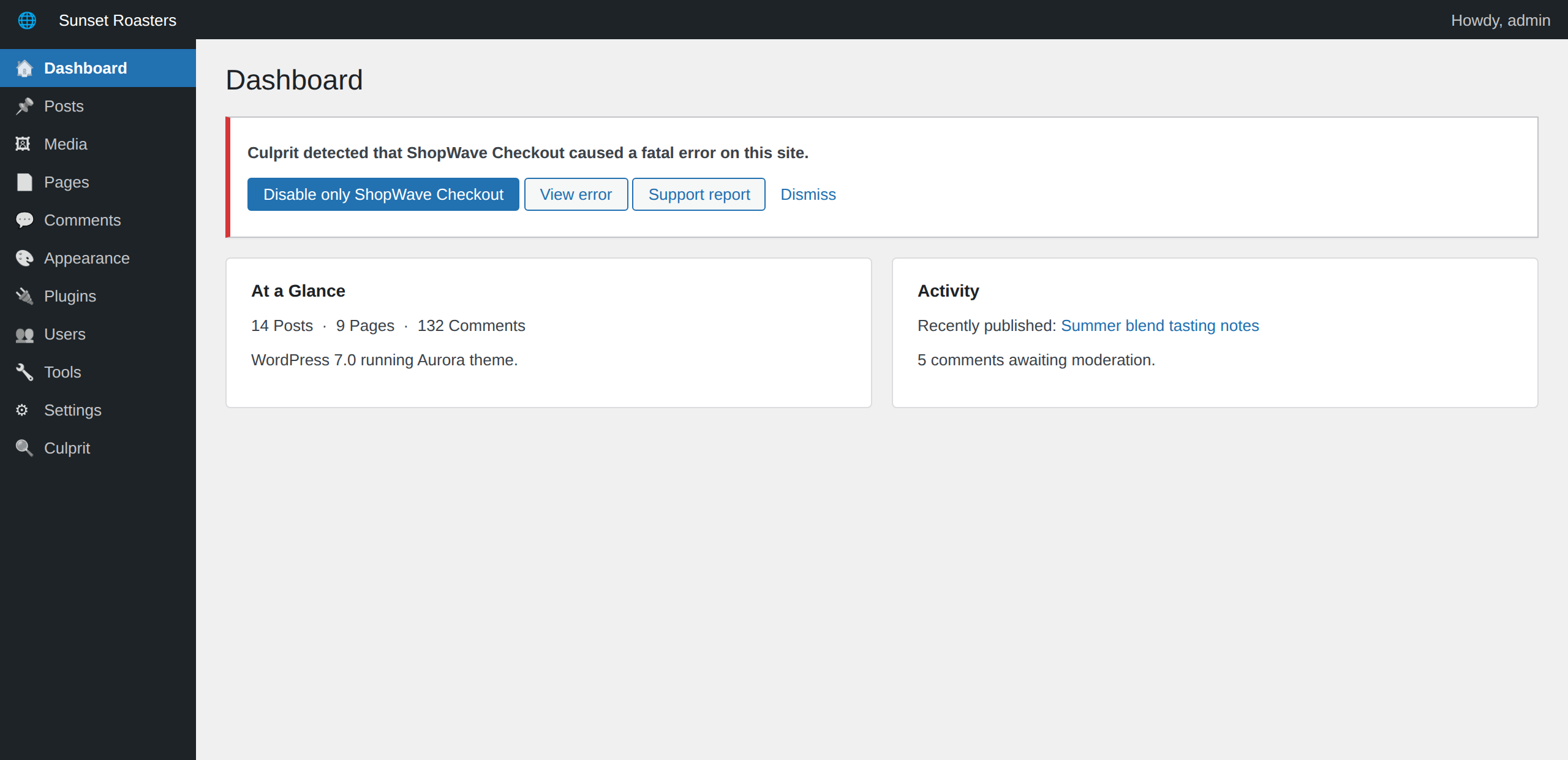
Culprit catches PHP fatal errors and the White Screen of Death the moment they happen, identifies the plugin or theme that owns the failing code, and shows you a clear, readable incident: what broke, when, and how many times. If you choose to enable it, an optional early-boot watcher extends coverage to crashes that occur before plugins load — even when the crash happens so early that you can’t reach your admin.
This is the free core. It runs quietly, costs almost nothing, and never touches your site — it only observes.
What Culprit does (free)
- Catches PHP fatal errors and white screens the moment they happen.
- Optional early-boot watcher (explicit opt-in) that also catches crashes occurring before plugins load.
- Identifies the plugin or theme responsible for the failing file.
- Shows recent changes around the time of the crash for context.
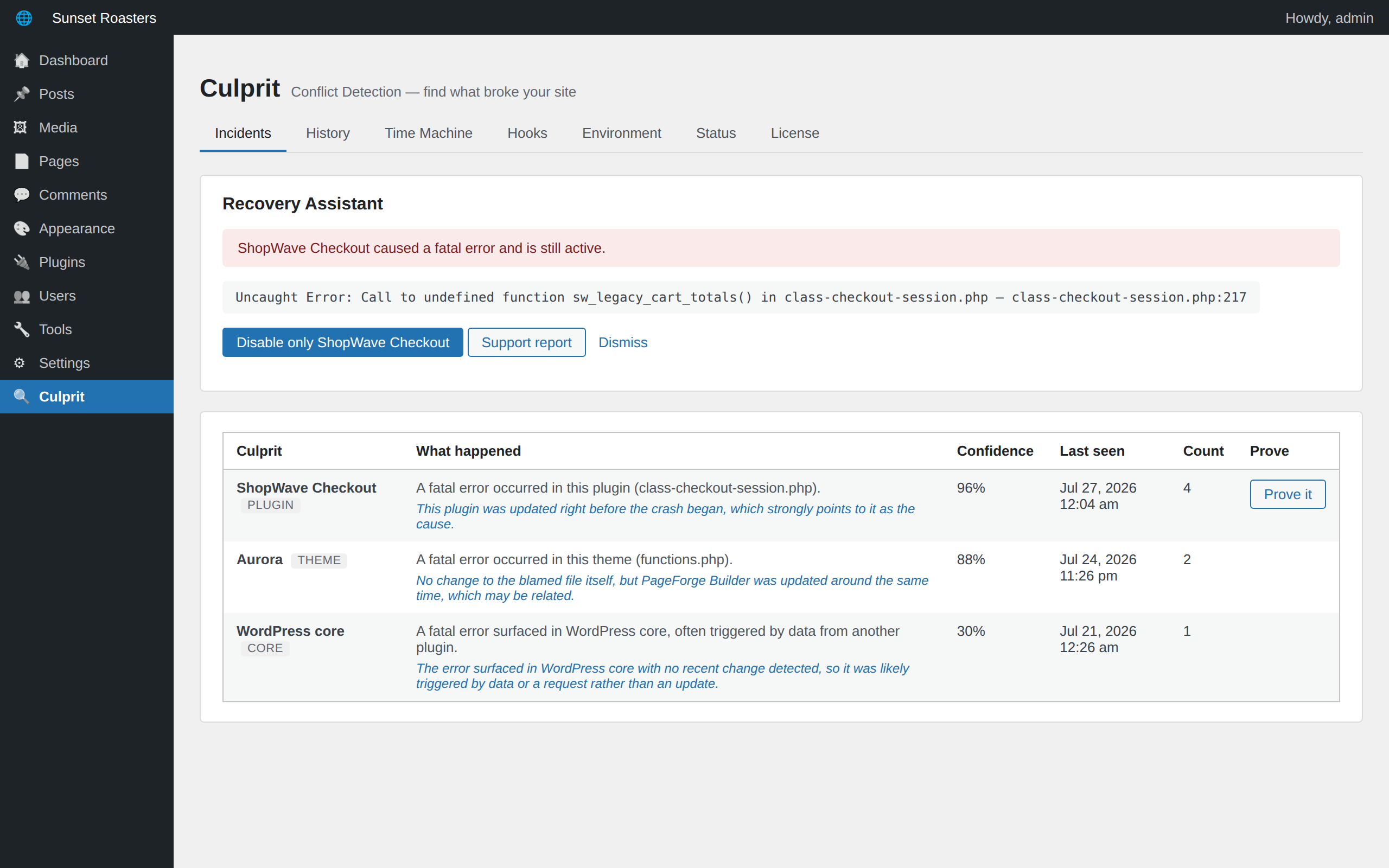
- Lists incidents with the culprit, time, and occurrence count.
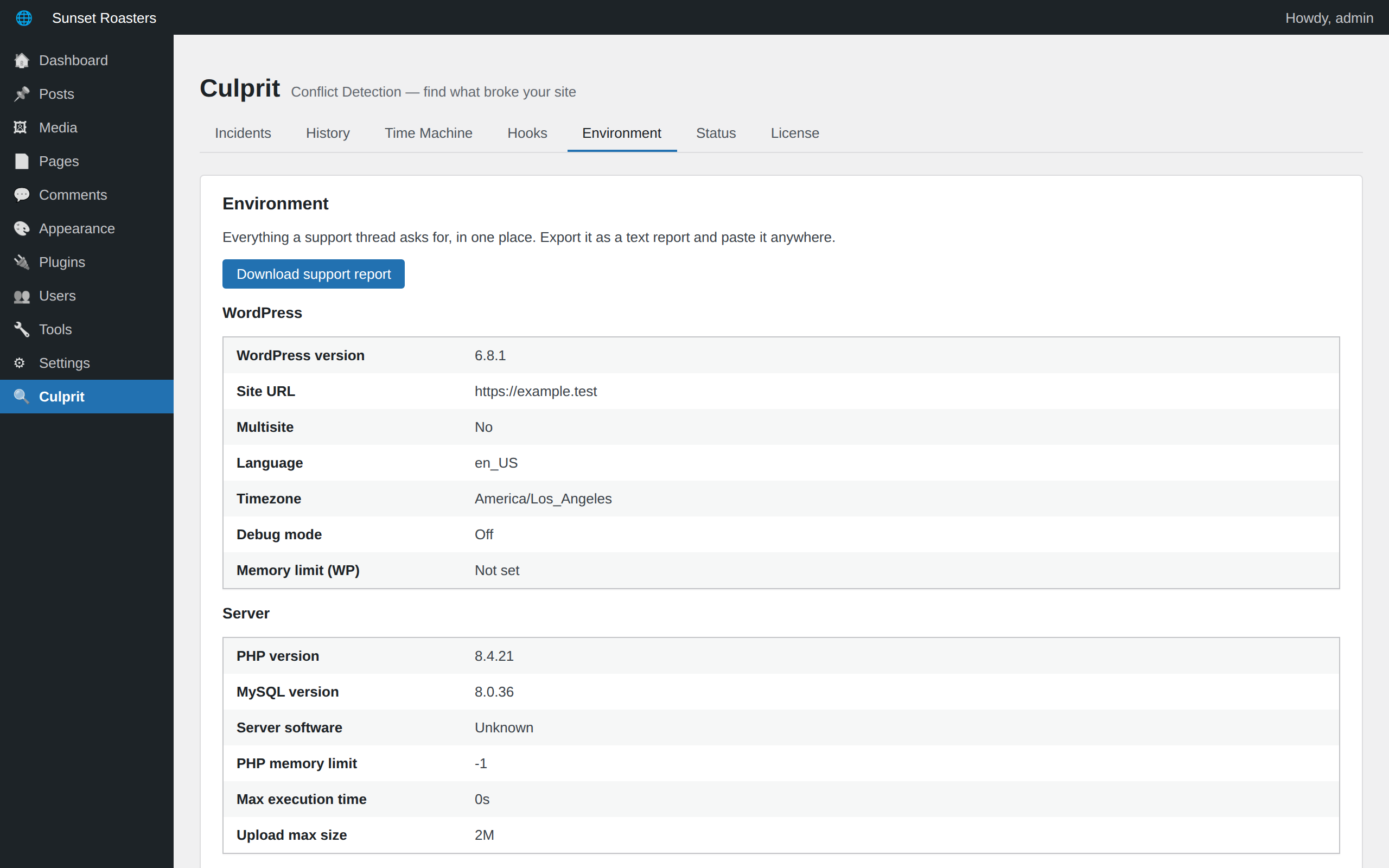
- Environment report — WordPress, PHP, database, server, theme, and plugin versions in one place, exportable as a support report.
- Reports the watcher’s health, with a graceful fallback if your host restricts the mu-plugins directory.
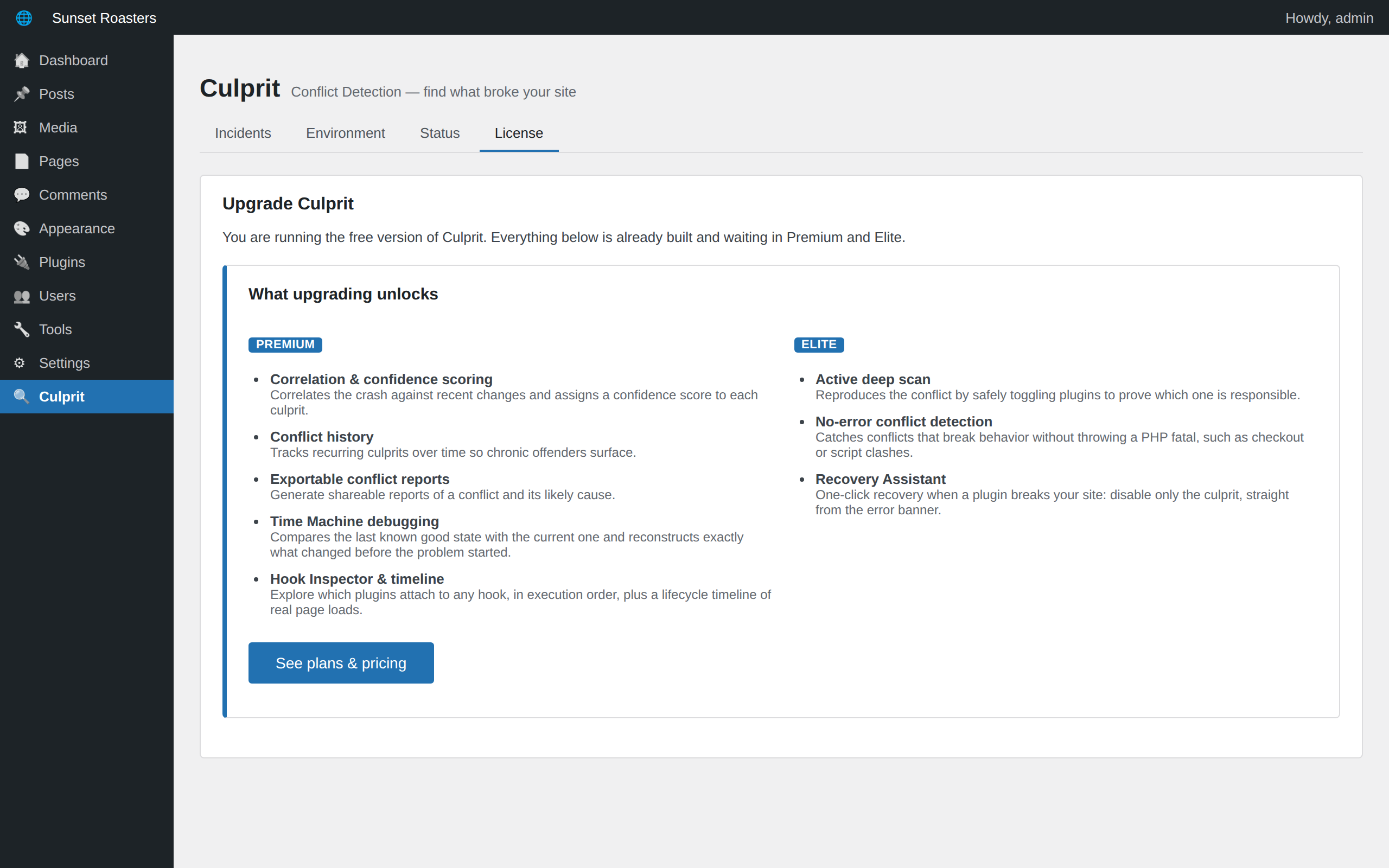
Premium (available at manicsoup.com)
- Correlation and confidence scoring — see what changed right before the crash.
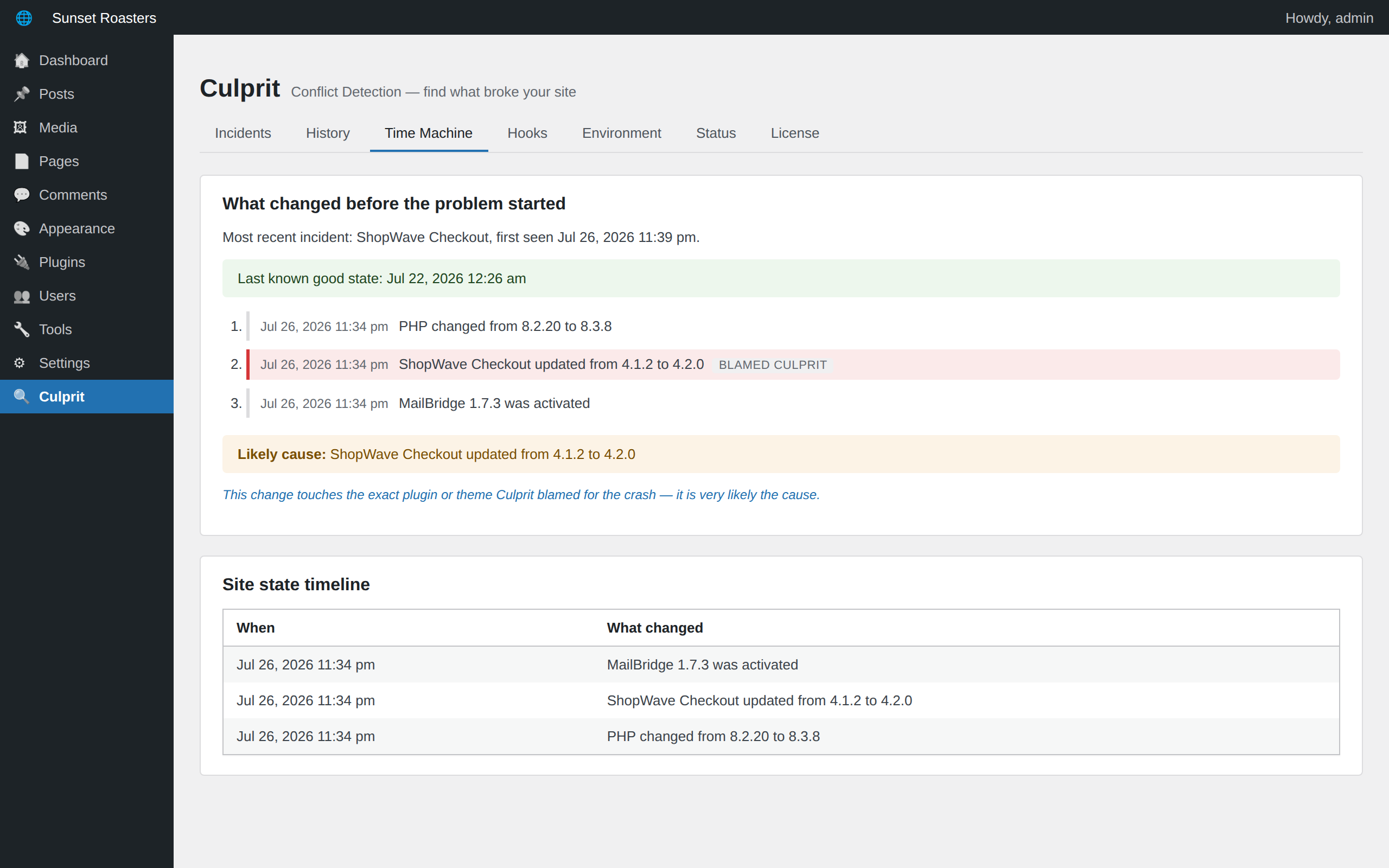
- Time Machine debugging — compare the last known good state with today and see exactly what changed before the problem started.
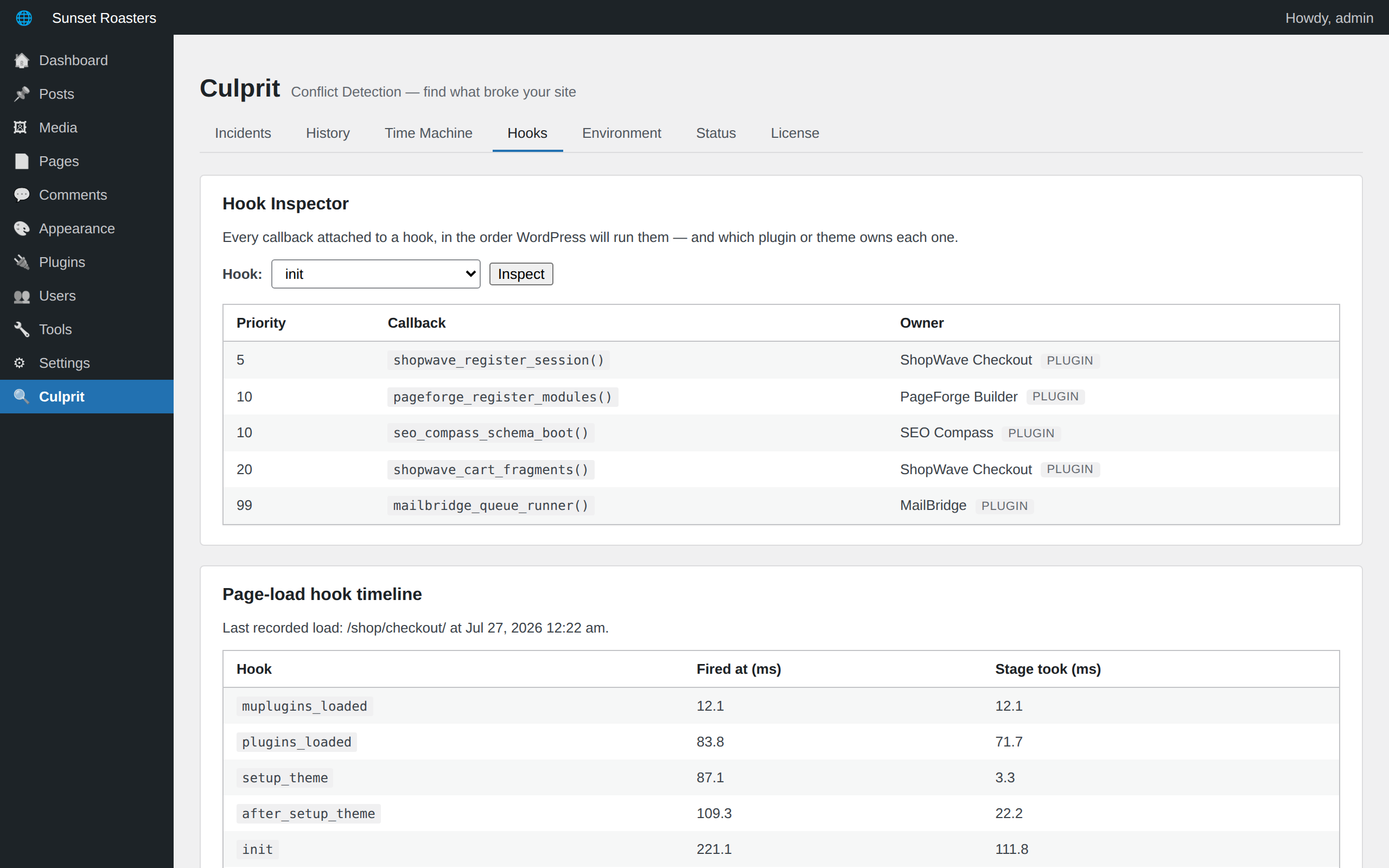
- Hook Inspector — see which plugins attach to any hook, in execution order, plus a lifecycle timeline of real page loads.
- Conflict history to surface chronic offenders.
- Exportable conflict reports.
Elite
- Active deep scan — prove the culprit by safely reproducing the conflict.
- Recovery Assistant — one-click recovery that disables only the plugin that broke your site.
- Detect conflicts that break behavior without throwing an error.
Capturas
Instalación
- Upload the plugin to
/wp-content/plugins/culpritor install it through the Plugins screen. - Activate it. Crash capture works immediately, no setup required.
- Optionally, enable the early-boot watcher on the Culprit Status screen to also catch crashes that happen before plugins load.
- Visit the Culprit menu to see detected incidents.
Preguntas frecuentes
-
Does Culprit slow down my site?
-
No. The watcher is tiny and only does work when a fatal error actually occurs.
-
Does it change anything on my site?
-
No. The free version only observes and reports. It never modifies, disables, or deletes anything.
-
Does Culprit write files outside its own folder?
-
Only if you explicitly enable the optional early-boot watcher on the Status screen — that installs a small must-use loader in wp-content/mu-plugins so crashes during earliest boot can be caught. Nothing is installed automatically, and disabling the watcher (or deactivating/uninstalling Culprit) removes it. Crash captures are stored in a protected folder inside your uploads directory.
-
What if my host won’t let it install the watcher?
-
Culprit falls back to a standard handler that still catches most crashes, and tells you in the Status tab.
Reseñas
No hay reseñas para este plugin.
Colaboradores y desarrolladores
«Culprit – Conflict Detection» es un software de código abierto. Las siguientes personas han colaborado con este plugin.
Colaboradores
Traduce «Culprit – Conflict Detection» a tu idioma.
¿Interesado en el desarrollo?
Revisa el código , echa un vistazo al repositorio SVN o suscríbete al registro de desarrollo por RSS.
Registro de cambios
1.0.1
- The early-boot watcher is now an explicit opt-in on the Status screen; nothing is written outside the plugin folder without your action, and the standard crash handler is always active.
- Crash captures now live in a protected, unpredictably-named file in the uploads directory, resolved via wp_upload_dir() with no hard-coded paths.
- Request URLs recorded with a crash are sanitized before being stored.
1.0.0
- First public release.
- Early-boot watcher catches fatal errors and white screens, even when the crash happens before WordPress finishes loading.
- Culprit identification: the plugin or theme that owns the failing code, named in plain English with an honest confidence score.
- Recent-change context around every crash.
- Environment report with a downloadable plain-text support report.
- Premium: correlation & confidence scoring, Time Machine debugging, Hook Inspector & page-load timeline, conflict history, exportable conflict reports.
- Elite: active deep scan that safely reproduces a conflict to prove the culprit, and the Recovery Assistant for one-click recovery.