

Descripción
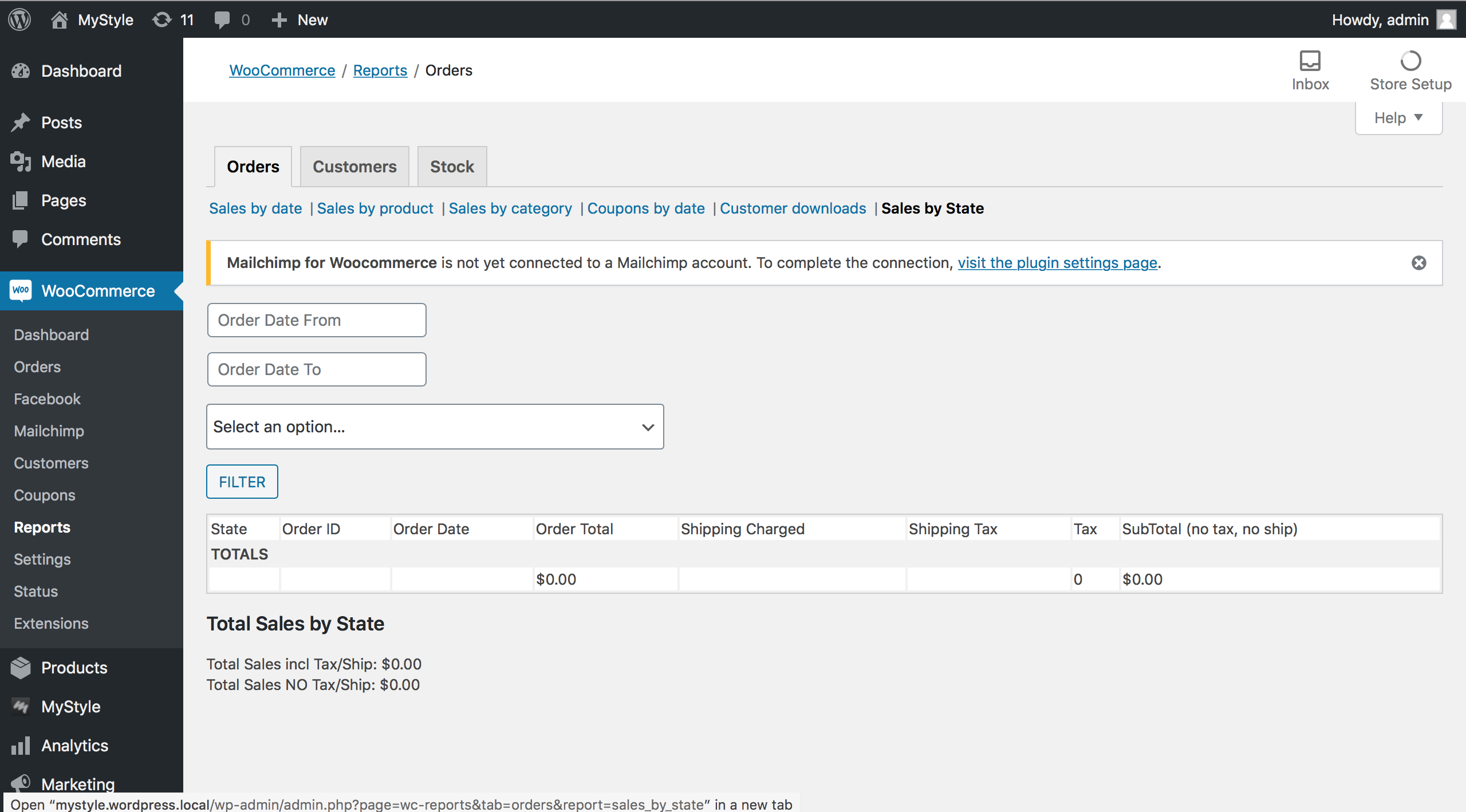
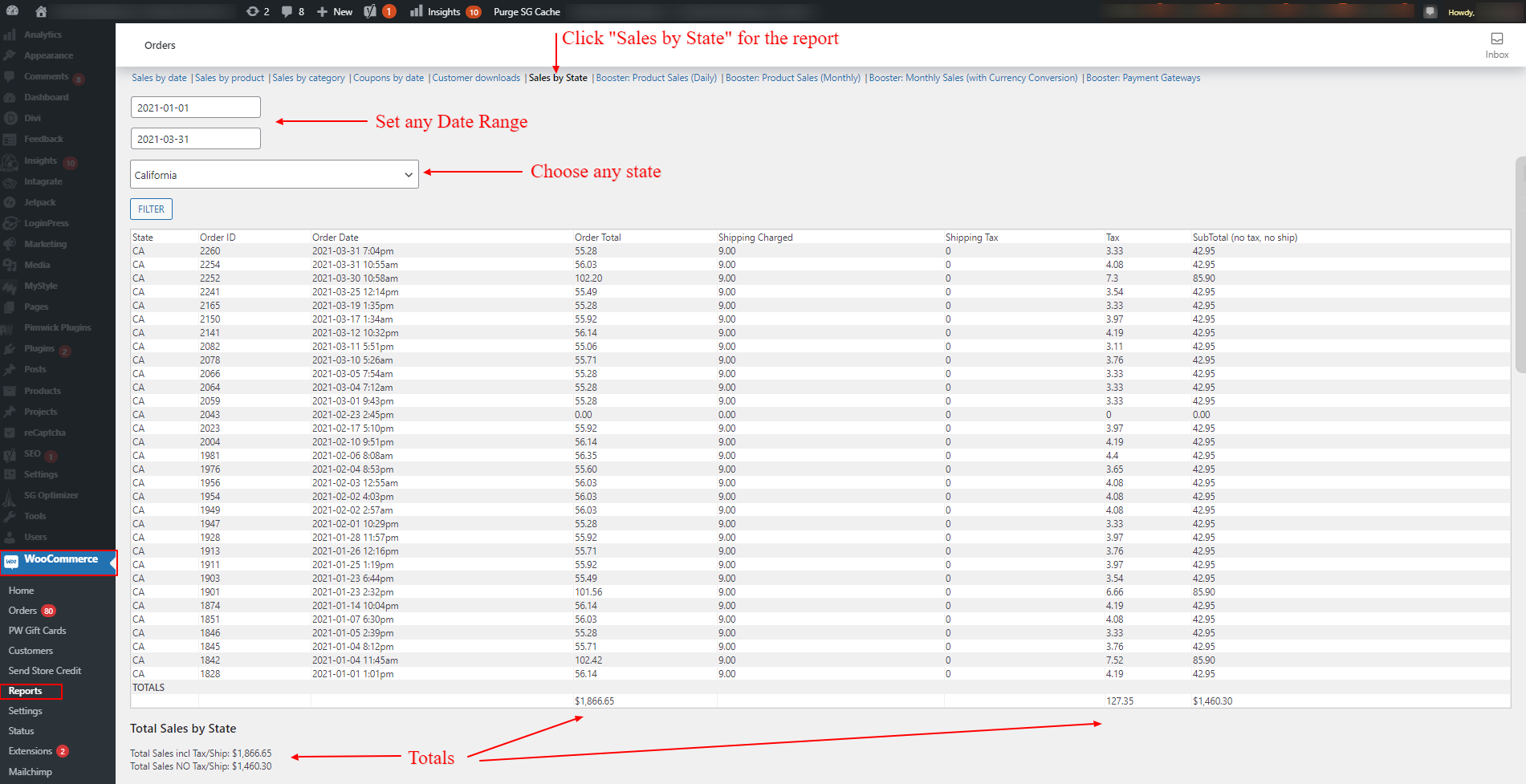
You can view sales by state and refine searches by date.
Requirements
WordPress installation and WooCommerce Plugin
Benefits
- Awesome User Experience
- Experienced San Diego based development team for support or custom feature development
- 100% American Made in the USA! No outsourcing!
- Get the numbers you need to do your quarterly or annual sale tax reporting
Plugin Features
- Users can get reports for sales in a given state for any date range and the sales tax that was charged.
- These numbers can be used to report your sales and sales tax for any given state for any given date.
Capturas
Instalación
The Sales Tax Reports For WooCommerce plugin requires that you have WordPress with the WooCommerce plugin activated. The plugin is very easy to install and can be set up in just a few minutes.
-
Install the Plugin: Upload the wc_state_tax_report folder to your website’s
/wp-content/plugins/directory -
Activate the plugin: Find Sales Tax Reports For WooCommerce in your ‘Plugins’ menu in the WordPress admin and press ‘Activate’. This will enable the plugin.
-
Follow the links in the WooCommerce > Reports > Sales by State
Reseñas


Colaboradores y desarrolladores
«Sales Tax Reports For WooCommerce» es un software de código abierto. Las siguientes personas han colaborado con este plugin.
Colaboradores
Traduce «Sales Tax Reports For WooCommerce» a tu idioma.
¿Interesado en el desarrollo?
Revisa el código , echa un vistazo al repositorio SVN o suscríbete al registro de desarrollo por RSS.
Registro de cambios
2.0.0
- UI Updates and improvements
- Nexus thresholds data updated
- Nexus feature improvements
- Help Content Added
- Resource Links Added
- Order Status Controls Added
- Additional Controls Added for Negative Amounts and Shipping Inclusion
- Smarter Date Defaults to Last Quarter
- Sanity Checks Added for Accuracy, Totals, and Date Ranges
- Automatic Recommendations if any sanity checks fail
1.1.7
- Increased query result limit to 10,000 rows to prevent report data from being cut off due to WooCommerce pagination defaults.
- Reduced district summary labels to eliminate unnecessary sub-rate labels like special tax etc
1.1.6
- Fixed state-filtered tax summary tallies to only include matching state orders.
- Added totals row to the tax summary table for tax and district sales totals.
- Improved order/date handling and summary data retrieval compatibility with current WooCommerce order objects.
- Fixed error with date filter format for WooCommerce compatibility
- Tested with WooCommerce 10.7.0
1.1.5
- Updated version compatibility to WP and WC
1.1.4
- Updated version compatibility to WP and WC
1.1.3
- Added code to display default values in the date filter.
- In the orders table, displayed all tax rates—each with its ID and (%)—separated by commas in the tax rate column cell for each order.
- Changed the orders table column header from «Tax Rate» to the plural form, «Tax Rates.»
- Changed the column name from «ttax» to «total tax rate.»
- Added a tag with the class «tax-rate» wrapping each tax rate in the orders table tax rate cell so they can be visually separated with CSS when there is more than one.
1.1.2
- Nexus bug fixes
1.1.1
- Nexus support, and minor bug fixes
1.0.9
- Added up/down arrows to sort button
1.0.8
- Updated Readme.txt and Changelog
1.0.7
- Added support for HPOS, updated orders table and overall look of the page
1.0.6
- Added column to sales total table to show total sales by tax rate.
1.0.5
- Added support for orders in processing status. Added download CSV function
1.0.4
- Bug fixes
1.0.3
- Added Tax Rate Column
1.0.2
- Added a better screenshot
1.0.1
- Minor cleanup
1.0.0
- Tested with current WP and WooCommerce
- Corrected readme content
- Pushed first major version number as stable tag
0.1.2
- Added Escaped HTML function to form
0.1.1
- Added input and output sanitization and validation
0.1.0
- Initial Alpha release.